Wrong Phone Numbers in AI Overviews: A Contact Audit
Verify the official contact, preserve the wrong AI answer, correct controllable sources and report the error. Recheck separately. Schema and profile edits cannot guarantee correction.
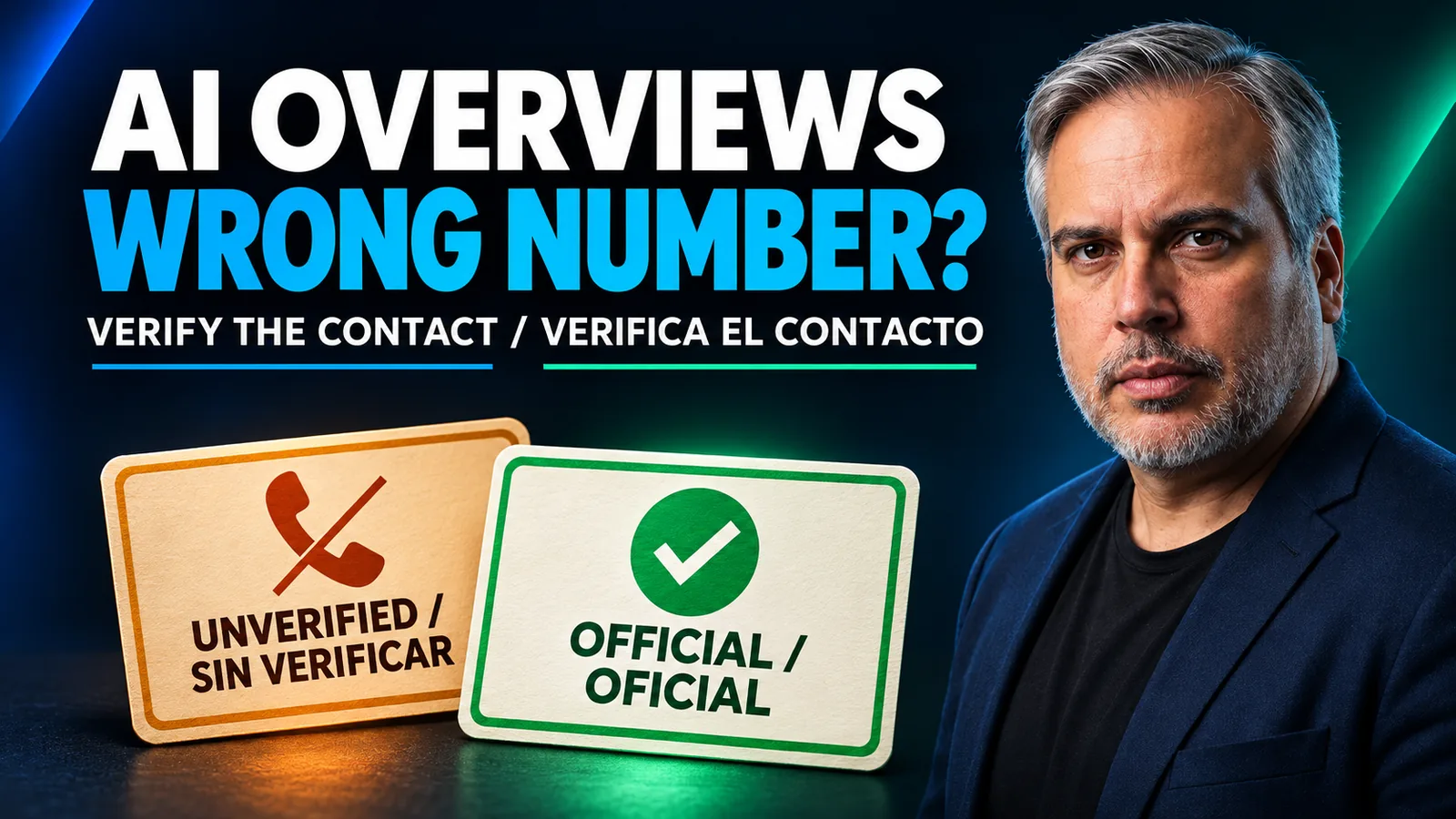
Andrew Shotland searched Google for Vanguard's customer-support number and called the number an AI Overview supplied, he wrote in his November 20 Search Engine Land account. The call led to scammers. When he later contacted the institutions involved, they had no record of the calls he described. He reported freezing his accounts before money was taken.
For a brand owner, that account makes contact accuracy an operational responsibility. If a customer reports an incorrect AI support number, establish the official route and preserve the answer before making broad edits. Correct the sources you control and report the generated response in parallel. Whether the answer changes remains a separate question to check.
TLDR. Verify the official number with the person responsible for customer calls. Capture the incorrect AI answer, audit the website against business profiles and relevant directories, and make contact details readable as text. Keep structured data consistent with that information. Use Google's AI Overview feedback flow and repeat the affected queries. A profile edit, valid schema or submitted report cannot guarantee a corrected answer.
Shotland's account and the limits of the evidence
The reported incident belongs to Shotland. His account does not establish which page supplied the number, explain Google's source-selection process or measure how frequently support searches produce incorrect contacts. There is no confirmed mechanism for his incident in the material reviewed for this article.
Conflicting directories and retired tracking numbers are reasonable audit candidates. So are pages confusing similarly named businesses, or spam pages impersonating support. These are hypotheses to investigate when evidence points to them. Finding an incorrect number online establishes a discrepancy, without proving the complete path that produced an AI answer.
That distinction affects the work you commission. A vendor should identify the mismatch and the proposed correction before promising a remedy. A claim that adding schema will force the official number into every answer goes beyond the documentation. The AI Overviews walkthrough separates page eligibility from observed responses, which helps keep those claims testable.
The contact register and the incident record
Start with the person who owns customer-call routing. Ask which numbers are active and whether an old campaign line still forwards to the business. A familiar number in the footer can be obsolete, and a number that rings can still route to the wrong branch.
Use one register row for each location and contact purpose. A national support line can legitimately differ from a local booking number. Record the approved public number, its purpose and the official page that explains it. Add the routing owner and the date checked. Mark uncertain ownership as unverified rather than deciding that every historical number is safe or malicious.
Keep three records linked to the same incident. The answer capture shows what the customer could encounter. The contact register establishes the intended information. The action log records each correction and its next check. Combining these into one status called fixed would conceal work still pending.
| Surface | Contact-data check | Evidence for the action log |
|---|---|---|
| Contact and support pages | Correct purpose, country and displayed number | URL and dated page capture |
| Footer and location templates | Appropriate number for each branch | Affected page list and template owner |
| Click-to-call links | Destination agrees with visible text | Link destination and rendered label |
| Structured data | Number belongs to the entity described | Parsed fields and page revision |
| Google Business Profile | Number agrees with approved location details | Edit status and separate public readback |
| Directories and tracking references | Ownership, freshness and routing | Source URL, request owner and recheck date |
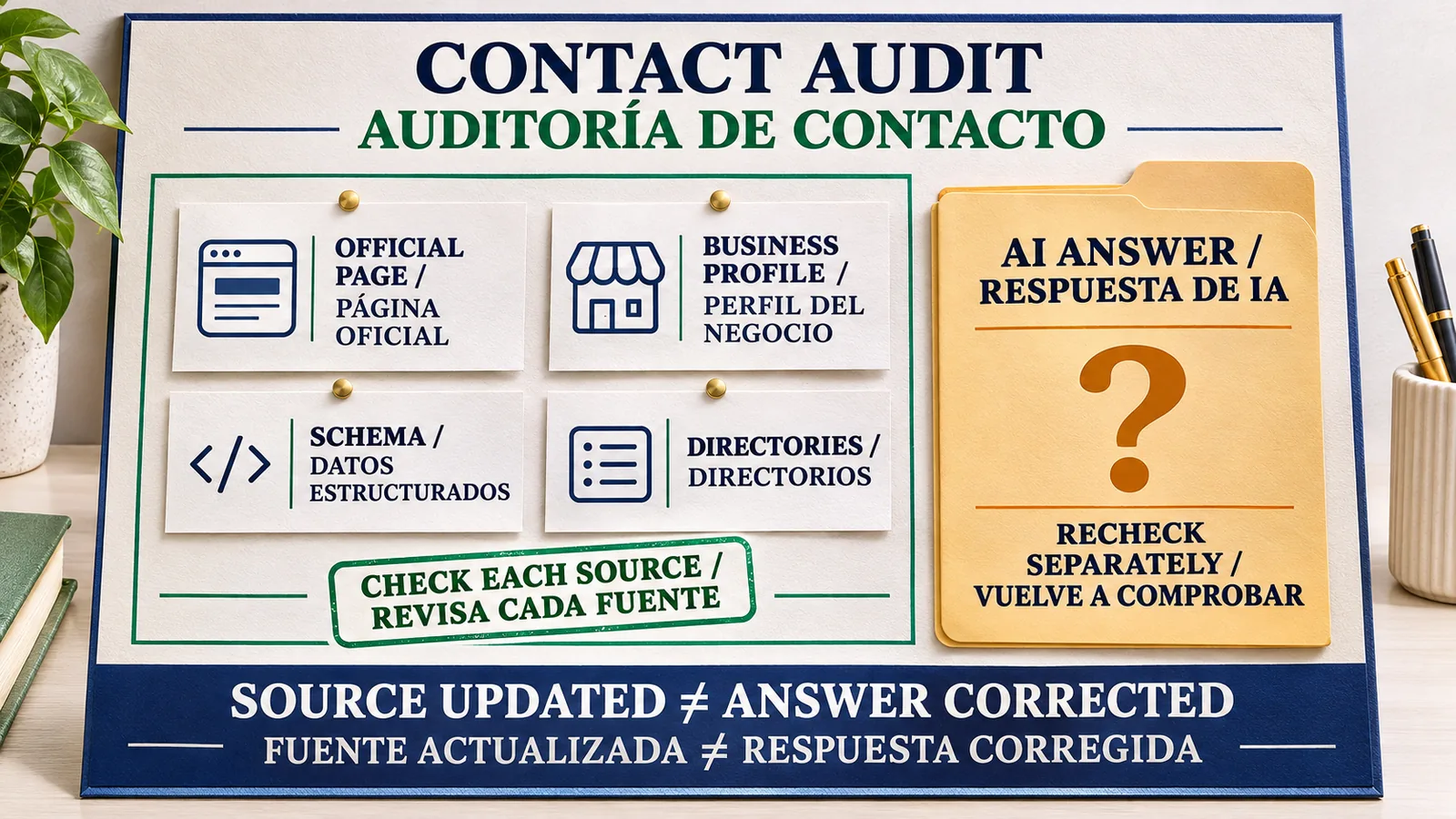
Inspect dynamic number insertion with the analytics owner. Compare the initial page text with the rendered visitor view and test the mobile click-to-call destination. Preserve valid campaign routing while resolving incorrect public references. Deleting active tracking numbers without understanding their purpose could interrupt calls and measurement.
For a suspected scam number, do not make an exploratory call part of the marketing checklist. Refer the investigation to the business's established support or security process. The register can retain an unverified state while the public-facing correction proceeds.
The official contact page as the customer destination
A customer should be able to reach the relevant contact page from the known business domain and identify the support method without guessing. State which organization the page serves and label country-specific or department-specific routes. Include service hours where those affect the choice of contact.
Google's customer-support publishing guidance, published in 2021, recommends a dedicated support page and clarity about authorized third parties. This supports a useful customer destination. It does not explain the November 2026 incident or promise a particular AI answer.
Publish the number as readable text and make any click-to-call link agree with it. Check that useful navigation reaches the page and that the public contact details do not depend on signing in. If the business offers no phone support, explain the available route clearly rather than leaving visitors to infer one from unrelated search results.
The Google guidance for AI search features includes text availability and current business information among existing SEO practices. It requires no special AI file or special schema. Making the page accessible is worthwhile work, with no guarantee that the generated response will select it.
Organization and LocalBusiness telephone fields
Structured data should describe the same verified contact information that a reader can see. Google's Organization reference supports telephone and contactPoint.telephone, including country and area codes. For LocalBusiness, specify the primary telephone at entity level before using contactPoint for additional ways to reach the organization.
Choose the type that describes the business, and follow the full property requirements for that type. The LocalBusiness documentation describes a URL for the specific location. Check that URL and entity name alongside the phone field. A valid number assigned to the wrong branch is still a factual error.
Validate syntax, then compare the parsed fields with the visible contact page and the approved register. Google's structured-data policies require current, relevant information that represents the page. A parser cannot confirm that the business still controls a telephone line. Schema validation also gives no authority to edit an AI Overview directly.
Business Profile and directory corrections
For a Business Profile you manage, the documented phone-edit flow goes through Edit profile, Contact and the edit control beside the number. Select the country, enter the approved number and save. Afterward, check the public profile separately and record whether the new information is visible.
The business representation guidelines require a number under the business's direct control that connects to the individual location. A local number is preferred where possible. Apply those rules to the business you manage. They do not establish that a verified GBP overrides every other source in an AI answer.
Prioritize external pages that are cited in the captured answer or visibly publish incorrect contact details. Give the publisher the affected URL and the official contact-page address through its correction process. Keep the request date and the later public readback. Sending a request is evidence of work performed, while a corrected directory page is a different result.
Avoid copying one national support number into every branch listing just to make the fields identical. The relevant question is whether the listing identifies the correct route for that business and location. Consistency should preserve useful distinctions.
How to report an incorrect AI Overview number
Save the query and a screenshot of the answer before reporting it. Record the date and market, plus the language and device used. Retain the supporting URLs shown in the overview. Keep customer account information and other private details out of any shared capture or feedback text.
Google's desktop AI Overviews feedback instructions provide this route:
- Select thumbs down below the incorrect overview.
- Choose Report a problem and the category closest to the issue.
- Explain the contact mismatch and provide the official page URL for verification.
- Select Submit. Google's documentation says the feedback includes the latest query and its results.
The help page also documents the three-dot menu at the top right as a feedback entry. Interface wording can vary. Describe the observed problem rather than presenting a suspected directory or spam page as a confirmed cause. A useful report identifies the business and location so the reviewer can compare the answer with the intended contact.
Record feedback submitted in the action log. The documentation provides no promised correction time, and submission does not establish that the answer has changed. An accurate Business Profile and an inaccurate AI response can require separate follow-up work.
Repeat checks with explicit answer states
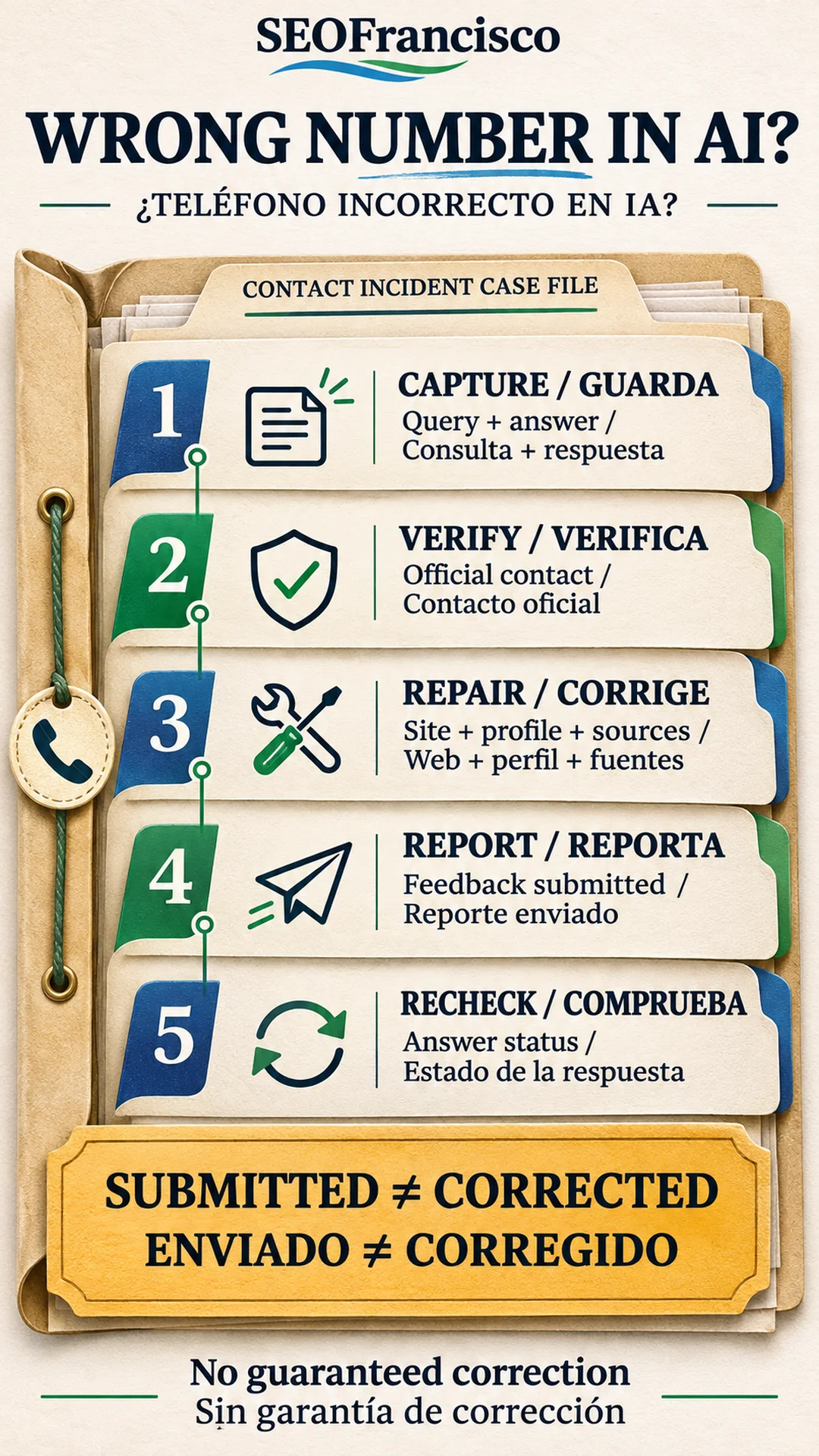
Choose a small fixed set of queries relevant to the business. Include brand plus phone number, brand plus customer service, and location-specific contact searches where appropriate. Repeat the wording under documented market and language conditions. Check other AI assistants separately if customers use them, retaining the provider and response for each observation.
Use distinct states for correct number, incorrect number, answer without a number, and no AI Overview observed. Leave failed or incomplete checks as unknown. Report the number of completed checks alongside any counts, so a disappearing overview cannot be presented as a verified correct-number response.
Daily checks during an active incident and weekly checks after stabilization are a suggested operating cadence. Adjust that schedule to the business's exposure and staffing. It is a monitoring recommendation, with no implication about how quickly a provider will act. Recheck after a phone supplier change or a branch move even when the previous panel was accurate.
The AI Overviews tracking guide explains comparable query observations. The brand-search citation audit addresses another useful distinction. Ranking first in ordinary results does not prove that the overview will cite the homepage or use its contact information. Retain source corrections beside answer captures without assuming that one caused the other.
Customer communication and incident ownership
Direct customers to the official contact page through the channels the business already controls. Explain how to find it from the known domain. Clarify authorized outside support where relevant. Avoid republishing the unverified number in a public warning, which would create another page associating it with the brand.
Assign the next review to a named owner and involve support in confirming the routing. Marketing can audit public references while the profile manager checks the listing. Keep unresolved branches and languages visible in the log, even if the main market looks correct.
The immediate deliverable is a verified contact destination and a documented response to the mismatch. Close the incident against the agreed checks and record their date. Future answers still need monitoring, particularly after the business changes its contact arrangements.
Frequently asked questions
Can a business directly edit a phone number in an AI Overview?
The documented route is feedback on the generated response. Correct your website and eligible business profiles separately, then check the affected answer again. A saved profile edit is not evidence that AI text changed.
Does Organization schema guarantee the correct phone number?
No. Appropriate telephone and contactPoint fields describe verified contact details that agree with visible content. Valid markup guarantees neither selection nor correction in an AI answer.
Should every location use the same number?
Use the contact route appropriate to each location and purpose. Confirm ownership and forwarding before changing fields or retiring call-tracking numbers. Identical data can still be wrong for a particular branch.
How long does an AI Overview correction take?
Google's feedback instructions provide no guaranteed correction deadline. Keep the report record and repeat the affected queries, preserving the observation conditions and unresolved checks.
Does no AI Overview mean the number is fixed?
Record it as no AI Overview observed. An overview without a number is another distinct state. Neither observation proves that later responses or other markets will show the correct contact.
Did Google confirm how Shotland's reported incident happened?
No mechanism is confirmed in the material reviewed here. Shotland's account supports reporting his experience, while conflicting sources, old numbers and spam remain hypotheses for a contact-data investigation.
About the Author