Site Migration During a Google Core Update: How to Tell Which One Moved Your Traffic
Separate migration faults from possible core update effects. Compare old and new URLs, check redirects and choose when to assess the traffic change.
A redirect to the wrong page needs fixing even if Google began a core update that week. When a migration and an update overlap, start with the affected URL and its intended replacement before assigning the traffic loss to either event. The dates help organize the investigation, but they cannot diagnose it.
Harvard Health offers a timely example of that overlap, with a narrow public evidence base. On November 15, 2026, the old blog URL returned a 301 redirect to www.harvardhealth.org/blog. Glenn Gabe reported on November 14 that the move started just before the core update. The timing is his report. A tested redirect establishes neither the full extent of a move nor its effect on traffic.
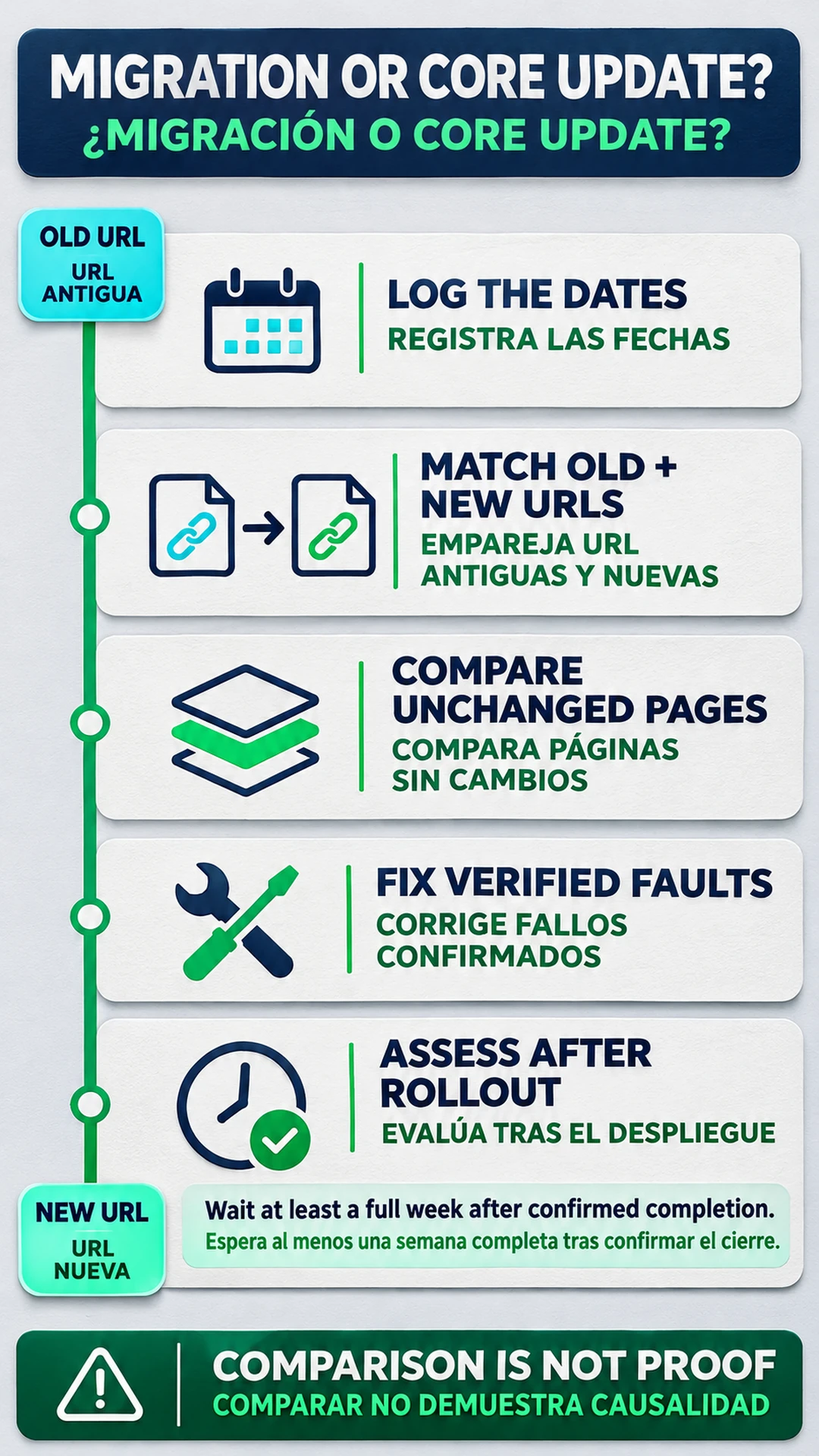
TLDR. Fix confirmed migration faults during the rollout. Keep a release log and compare mapped old/new URLs with consistent Search Console scope. Comparable untouched sections can help narrow the investigation, without proving causation. For an assessment of core-update impact, use Google's comparison window after confirmed completion. Defer a discretionary launch if the overlap would make the move harder to measure.
The decision to start, pause or finish a migration
If the move had not started and the date was flexible, I would defer the cutover when preserving a useful baseline mattered more than launching now. This is a practitioner recommendation about measurement. The Google documentation consulted here does not establish a prohibition on migrating during a core update.
Google's site-move guidance recommends changing one thing at a time. A domain move followed separately by a redesign leaves fewer simultaneous changes to explain than a domain, CMS and content overhaul released together. It also recommends lower-traffic launch periods where possible, and smaller steps where the site and implementation allow them. A section test can expose problems without predicting how every remaining page will perform.
For a partial move, pausing the next optional batch can make sense while the current batch has an unresolved fault. Preserve working old URLs for sections that have not moved. For a completed cutover, diagnose the implementation before proposing a rollback. Reversing a move creates another URL transition, so it needs a specific failure to address and a tested plan.
Separate the project label from its actual changes. A redesign that keeps URLs has different migration requirements from a domain move. Use the site migration SEO playbook for the wider preparation work, then make the launch decision against the changes still outstanding.
The cutover log beside the core update window
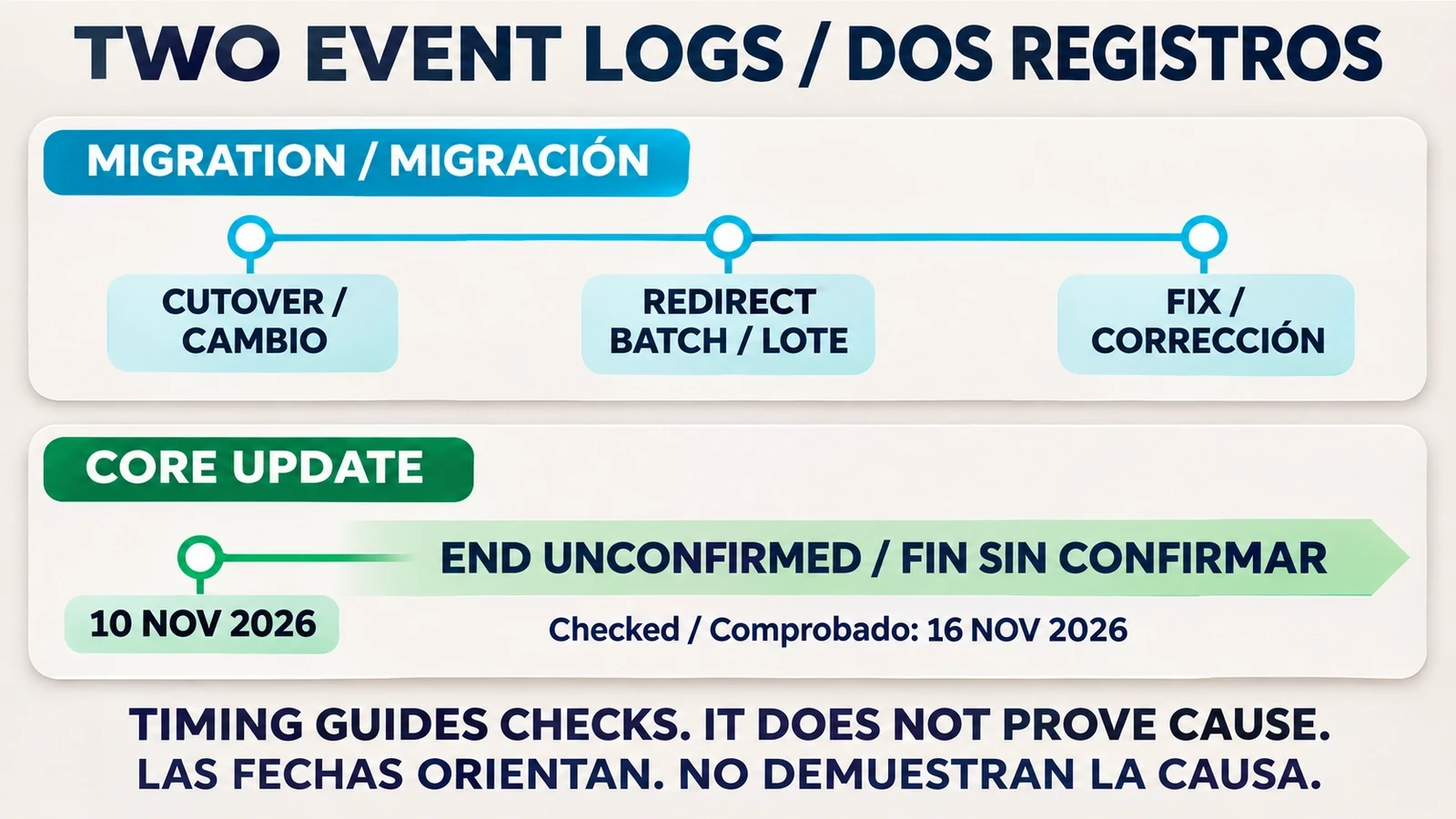
The official November 2026 incident record gives the update's start as November 10 at 10:06 US/Pacific. At the November 16, 2026 check, the incident remained active and contained no completion entry. Google announced a global rollout across all languages that might take up to 2 weeks. That estimate is not a confirmed end date.
Put the migration cutover in a release log with an explicit time zone. Record redirect batches separately and add later corrections without overwriting the original events. Include content and template changes, even if the team considers them part of the same migration. Add the official update end only after Google confirms it.
This is a recommended diagnostic log. A decline beginning at a particular redirect batch points to a release worth inspecting. A decline beginning during the update window still needs evidence beyond the shared date. Keep the November core update assessment alongside the release history so the two investigations use the same official dates.
Old and new URLs in Search Console
An old host losing clicks is incomplete evidence if its replacement pages are gaining them. Google recommends monitoring both old and new URLs during a move. Start with an affected old page and its intended destination in the URL map, then check both sides in Search Console.
Use equivalent dates and filters, keeping the search type consistent. Retain the host in working exports so the transfer remains visible. If you combine observations, choose property scopes that do not count the same URLs twice. Keep the separate old and new views as well as the combined view.
The URL map matters here. A report for the old path and a report for a different set of new pages cannot establish what happened to the same content. Where pages were merged or removed, label that change in the comparison instead of treating every old URL as though it still had an identical replacement.
Migrated sections and untouched comparison pages
As a diagnostic recommendation, compare moved pages with comparable pages that did not change. A decline concentrated in the migrated group raises the priority of checking its implementation. A decline in both groups calls for investigation of shared changes and update timing, with attention to differences in demand or search intent.
Check what “untouched” means before relying on that group. A sitewide template or internal-link release can change pages whose URLs stayed the same. Those pages cannot isolate the URL move from the shared release. If no suitable comparison group exists, record that limit.
These comparisons can narrow the next check. They cannot calculate the share of a loss caused by the core update, and stable comparison pages do not rule out update effects on other content.
Migration or core update separation checklist
Migration faults before content changes
Follow an affected old URL to its final destination and compare it with the migration map. Inspect the page it serves. A redirect that ends on a functioning but unrelated page is still the wrong mapping. Use the observed pattern to decide how far to expand the check across related redirect rules.
Google's migration troubleshooting guidance identifies incorrect redirects and leftover indexing blocks among common errors. Check the replacement page's canonical and any temporary noindex rule. Review robots restrictions where indexing is intended, then inspect crawl errors and server capacity if requests are failing. Updated sitemaps and internal links should lead to the new URLs.
For a cross-domain move, check the Change of Address requirements after the move and redirects are in place. The same Google account must own the old and new Search Console properties. Google's current help page says to verify and include all old subdomain variants, including www and non-www, even if they are inactive. The tool does not automatically cover child subdomains.
That variant instruction has a specific scope. The tool excludes a www-to-non-www change on the same domain, HTTP-to-HTTPS changes and path-only moves within a site. Hosting or CDN changes without URL changes are excluded too. Submitting a Change of Address does not replace the redirect work.
I would repair a demonstrated technical fault before calling the decline a core update hit. A focused SEO migration review should produce the failing URL pattern and the correction to test. Rewriting content while the destination remains blocked does not resolve that fault.
The post-rollout traffic assessment
Google's core-update guidance recommends confirming that the rollout has finished, then waiting at least a full week before analyzing the change in Search Console. Compare that week with a week before rollout began. Review the top pages and queries, separating search types. Continue migration checks while that comparison window develops.
Migration processing has a separate timeline. Google says medium-sized sites can take a few weeks or more for new URLs to replace old ones in results, with larger sites taking longer. That is a general processing estimate, not a recovery deadline. Its statement that permanent redirects do not lose PageRank also does not promise unchanged traffic.
After a repair, verify that the technical failure has stopped occurring. Then assess the performance of comparable content over suitable periods. A corrected redirect and recovered traffic are separate findings. If the technical checks passed but traffic remained lower, I would leave the remaining explanation open until the evidence supported it.
Frequently asked questions
Should a migration be paused when a core update starts?
For an unstarted discretionary move, deferring can preserve a more useful baseline. If the move is live, inspect and repair proven faults before deciding on a rollback. This is practitioner advice, not a documented Google ban.
Does a decline on the old host prove the migration failed?
No. Check the mapped replacements on the new host using equivalent Search Console dates and filters. Preserve the separate views so the transfer remains visible.
Can unchanged pages identify core-update impact?
Comparable unchanged pages can help narrow the investigation, but shared template changes or differences in search demand limit the comparison. They cannot establish an exact causal allocation.
When should core-update performance be assessed?
Google recommends waiting at least a full week after confirmed rollout completion, then comparing that week with a week before rollout began. Continue technical migration checks in the meantime.
Does Change of Address apply to a redesign?
A redesign alone does not make the tool applicable. It is for eligible domain or subdomain moves after redirects are in place. Google excludes same-domain www changes, HTTPS changes and path-only moves within a site, as well as hosting changes without URL changes.
About the Author