Google November 2026 Core Update: What to Check in Search Console Before You Change Anything
What Google confirmed, which Search Console baseline to save, and when to compare after rollout. Check AI reporting limits and seasonal demand.

Before rewriting pages because traffic fell during the November rollout, save the Search Console comparison you will need to justify that decision. Google's method depends on the update's actual completion date. A rewrite during rollout adds another possible explanation for whatever the later report shows.
TLDR. Preserve a pre-update baseline now and repair confirmed technical faults. To assess core-update impact, Google recommends waiting at least a full week after completion, then comparing that week with one before rollout began. Keep search types separate and check demand before interpreting a change. Search Console's Web total alone cannot isolate AI Overviews or AI Mode traffic.
The November 2026 announcement
Google's official incident record dates the start to November 10, 2026 at 10:06 US/Pacific. The announcement entry followed at 10:07 PST. It says the core update applies worldwide and to all languages, with rollout estimated to take up to 2 weeks. At the November 12 source check, the incident had no completion entry. The estimate supplies no confirmed end date.
November is the third announced core update of 2026. The ranking history lists March and May before it, alongside separate spam and Discover updates. Use the Google algorithm tracker to keep the timeline in view, and return to Google's incident for the completion notice.
A Search Console baseline worth keeping
As a practical starting point, export November 3-9, the full week before the November 10 start. That date selection applies Google's pre-rollout comparison method to this update. It is an editorial recommendation, rather than a separate date range specified by Google.
In Search Console's Performance report, preserve the Pages and Queries views with clicks, impressions, CTR and average position. Record the country and device filters beside the search type. A later comparison needs the same scope, otherwise a change in the report can partly come from a change in the selection.
For a site with distinct page groups, save a view by template or topic as well. A decline concentrated in product pages warrants a different investigation from a change affecting every section. Keep dated notes of template releases or content edits with the exports so the eventual review includes what else changed on the site.
The Search Console click verification guide provides related checks before a report becomes a performance claim. During this rollout, preserving the data and its settings is more useful than attaching a recovery explanation to each daily movement.
Google's comparison window starts at completion
The core updates documentation recommends confirming that rollout has ended, waiting at least a full week, and comparing that week with a week before the update began. Starting the wait from November 10 would use the launch date in place of completion.
| Stage | Evidence to preserve or review |
|---|---|
| Before rollout | A pre-start week, such as November 3-9, with saved filter settings |
| During rollout | Dated observations and site changes, without a final impact verdict |
| Confirmed completion | The actual completion entry on Google's dashboard |
| After at least a full week | Compare that week with the pre-start week using the same filters |
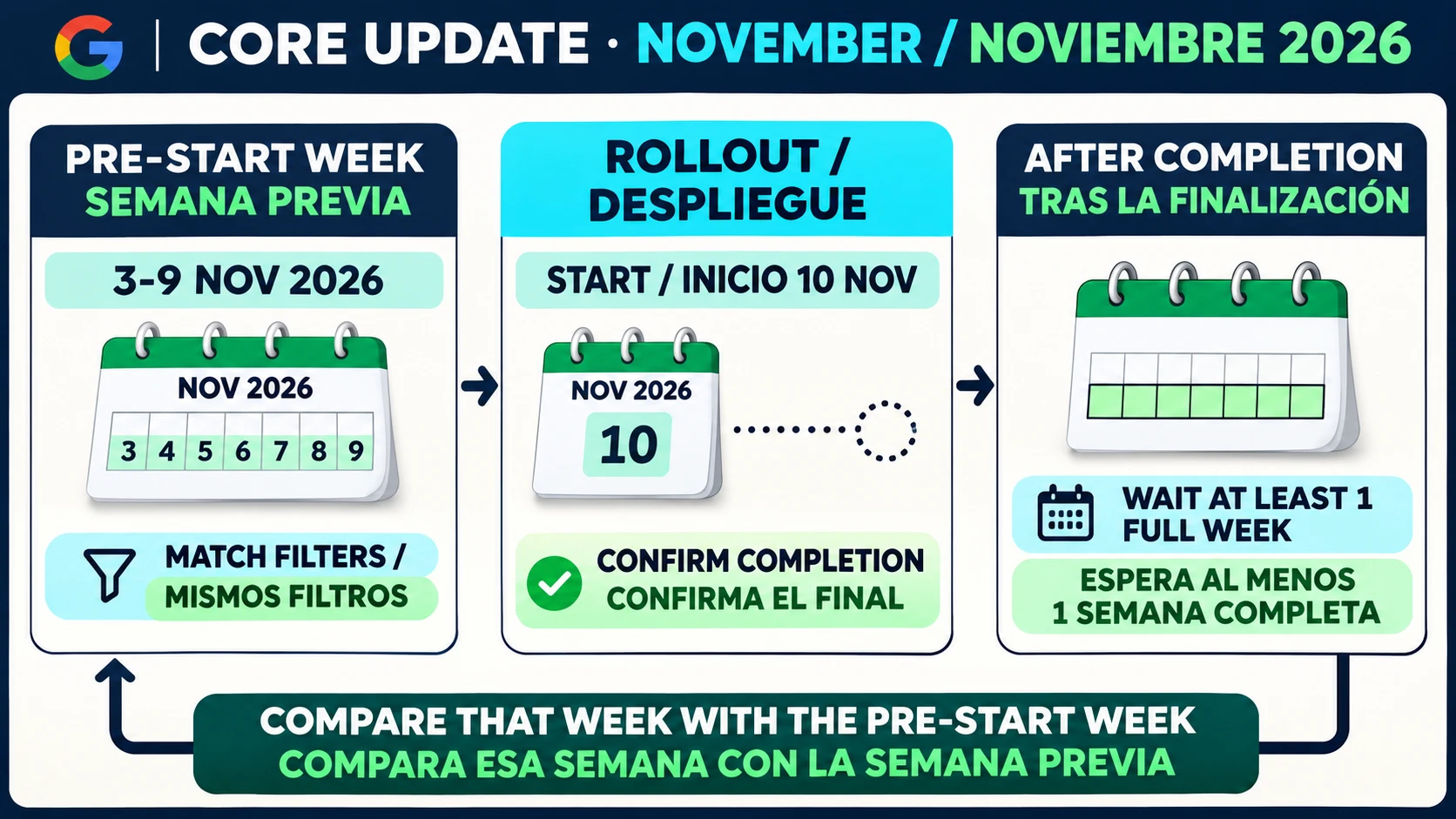
That wait concerns an assessment of the core update. A confirmed outage or an indexing mistake still needs attention when it is found. Google's traffic-drop guidance includes technical problems among the possible causes of lost search traffic. Delaying a known repair would leave that problem in place while adding no useful evidence about the update.
Small declines and sustained large drops
Once the comparison window is available, review the top pages and queries. Google advises against drastic changes to content already performing well when the position decline is small. A sustained large decline calls for a deeper assessment of the affected pages and the site overall, using the questions in its core updates guidance.
Keep Web, Images, Video and News separate during that review. A total can conceal a change concentrated in one search type. The same principle supports the page-group view saved earlier, without establishing in advance which group was affected.
For content decisions, write down what a reader cannot accomplish on an affected page and the improvement that addresses it. Google's guidance cautions against speculative quick fixes and treats deleting content as a last resort. Recognition of improvements can take months and sometimes a later core update. Neither a rewrite nor the November announcement establishes a recovery date.
AI features within the Web total
Google's AI features documentation says traffic from sites appearing in AI Overviews and AI Mode is included in Search Console's overall Performance reporting under Web. A change in that aggregate does not identify either feature's individual contribution.
If Web clicks fall, the total alone cannot show how much of the change came from AI Overviews, AI Mode or other Web results. Assigning the loss to an AI feature would require additional evidence. The AI referral traffic audit offers context on keeping traffic definitions consistent when reports answer different questions.
Crawl activity also needs its own interpretation. The Googlebot crawl-versus-clicks guide is useful when a crawl observation is being offered as an explanation for a click change. Preserve the measurement boundary before drawing the conclusion.
Holiday demand in the eventual comparison
If the post-completion comparison overlaps Black Friday or Cyber Monday, a week-over-week difference may also include a change in shopping demand. The risk depends on the eventual dates and the site's market. It does not require predicting when rollout will end.
As an additional check, examine a comparable prior-year period and use Google Trends to inspect the relevant queries. Google's traffic-drop guidance identifies seasonality and changing interests as possible causes and recommends investigating demand. For a baseline within the site, compare branded or non-seasonal queries only where their history supports that choice. No query group should be assumed stable without checking it.
A checklist before changing content
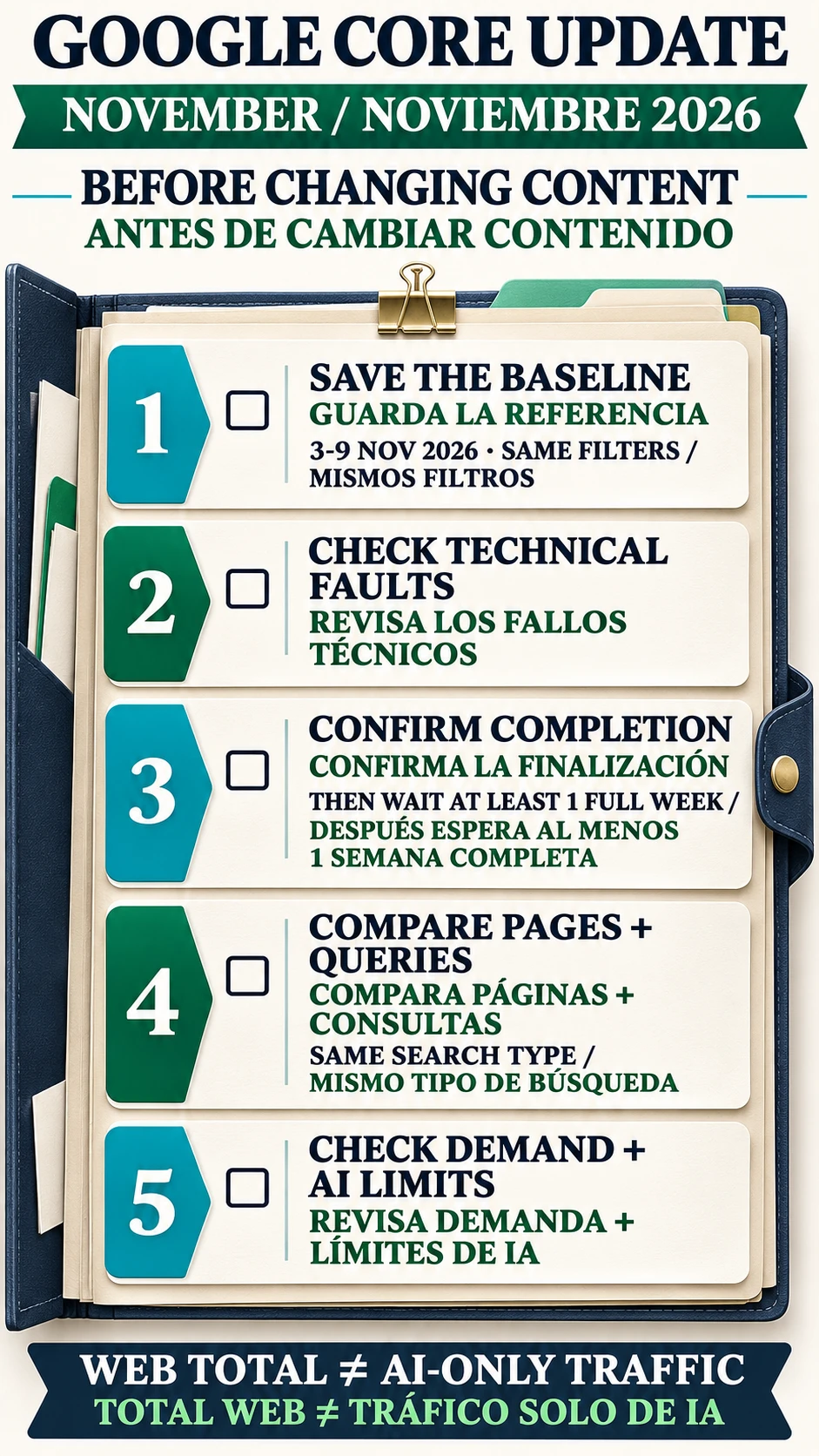
- Save the pre-start week with its page and query views and filter settings.
- Record site changes and investigate confirmed technical faults during rollout.
- Confirm the actual completion entry before applying Google's full-week wait.
- Review top pages and queries by search type, then assess the scope and persistence of declines.
- Check demand and the limits of aggregate Web data before assigning a cause.
Return to the saved baseline when the comparison window is available. A content change should address an identified reader problem, with a dated reason that can be reviewed after the change.
Frequently asked questions
When did the November 2026 core update start?
Google records the start as November 10, 2026 at 10:06 US/Pacific. The announcement entry is timestamped 10:07 PST and estimates up to 2 weeks for rollout. No completion entry was present at the November 12 check.
When should the core update comparison be made?
Google recommends waiting at least a full week after confirmed completion, then comparing that week with a week before rollout began. November 3-9 is a practical pre-start baseline for this update.
Should a traffic drop trigger immediate content deletion?
Google treats deletion as a last resort. Assess the affected pages and the site overall for a sustained large decline, while avoiding drastic changes to successful content for small position movements.
Can Search Console isolate AI Mode or AI Overviews from the Web total?
The Web aggregate includes traffic involving those features. That total alone cannot identify their individual contribution or establish that either caused a November traffic change.
About the Author