Search Console Click Spike: Verify the Traffic Before You Report
Verify a Search Console click spike with GA4, server logs, impressions and page-level checks before claiming growth or changing targets.
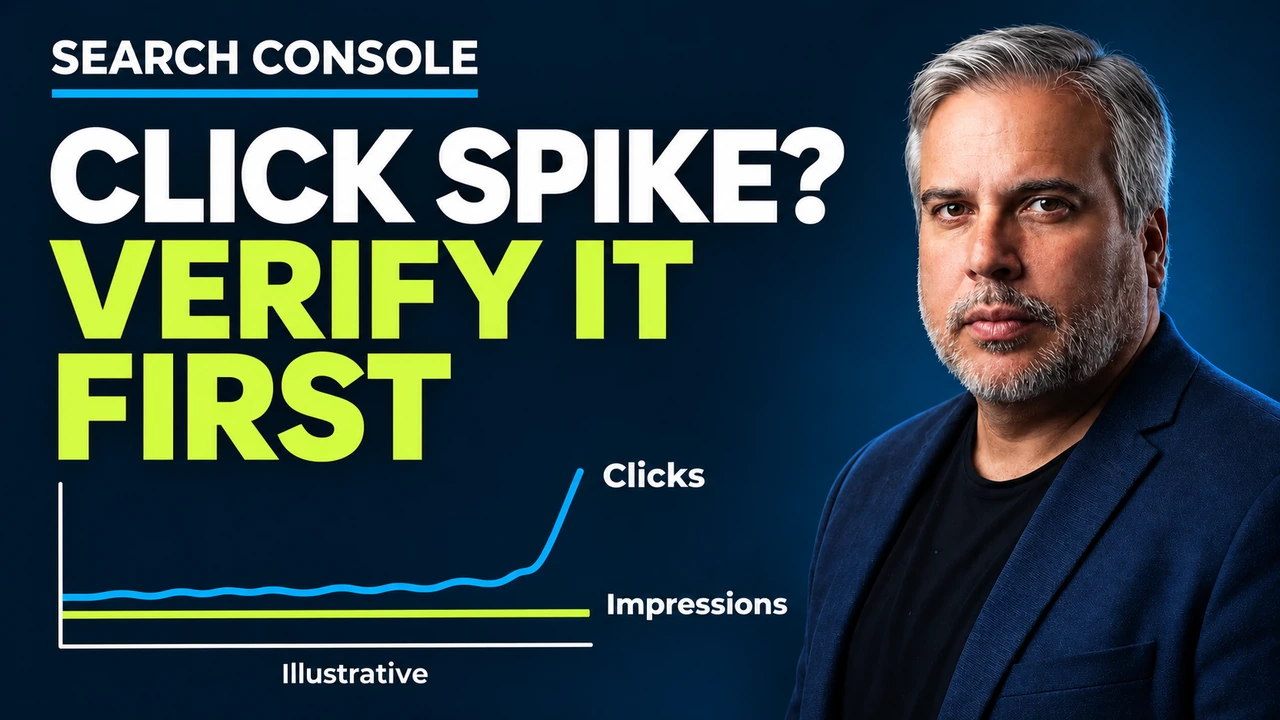
A sudden Search Console click spike with flat impressions is not proof of real traffic. Before reporting it, I would verify the movement against GA4 and server logs, compare impressions and average position, and check how the extra clicks are distributed across pages and queries.
You open the Performance report and the line goes up sharply. That is worth investigating. It is not enough to tell a client that the SEO work has delivered a traffic increase.
I would keep the original export, record the filters and treat the increase as unverified until another source supports it. The same caution applies when the line falls.
What was reported this week
On November 3, 2026, Barry Schwartz reported in Search Engine Roundtable and Search Engine Land that some Search Console properties showed sudden click spikes over the previous couple of days. Impressions stayed flat. Not all sites were affected.
Joy Hawkins first shared examples, as quoted in the linked reports:
Seeing a few sites that have massive spikes in traffic in Google Search Console. Still unclear if it's real traffic because some of the patterns just seem odd. Anyone else seeing this?
Search Engine Land also reported that the API returned the spikes. In its checks, three sites showed the spike through the API, while the web interface showed it for only one. Agreement between those two views therefore needs checking rather than assuming.
Search Engine Land had asked Google whether this was a reporting bug. No answer from Google had been published at the time of writing. In my social update today, I also noted that some reports were already back to normal. That observation does not establish a general resolution.
Bot traffic and a measurement change are hypotheses being discussed, not confirmed explanations. I would not put either in a client report as the cause.
Why clicks without impressions deserve a closer look
More clicks with steady impressions means a higher reported click-through rate. That can happen when people choose your result more often. The combination alone does not prove a fault.
What makes me pause is an abrupt increase without supporting changes in the pages, queries or visits behind it. A property total can look convincing while the extra clicks sit on pages whose reported visibility does not explain them.
| What you see | What I would check next |
|---|---|
| Clicks rise, impressions stay flat | CTR and the pages receiving the extra clicks |
| API and UI disagree | Identical dates, filters, search type and extraction time |
| Search Console rises, GA4 stays flat | Google organic landing pages, tracking coverage and logs |
| Several unrelated properties move together | Whether the timing and distribution match |
This is a reporting check before an SEO diagnosis. My crawl versus clicks guide covers a related distinction: crawler requests and user visits measure different activity. More Googlebot requests cannot validate a visitor spike.
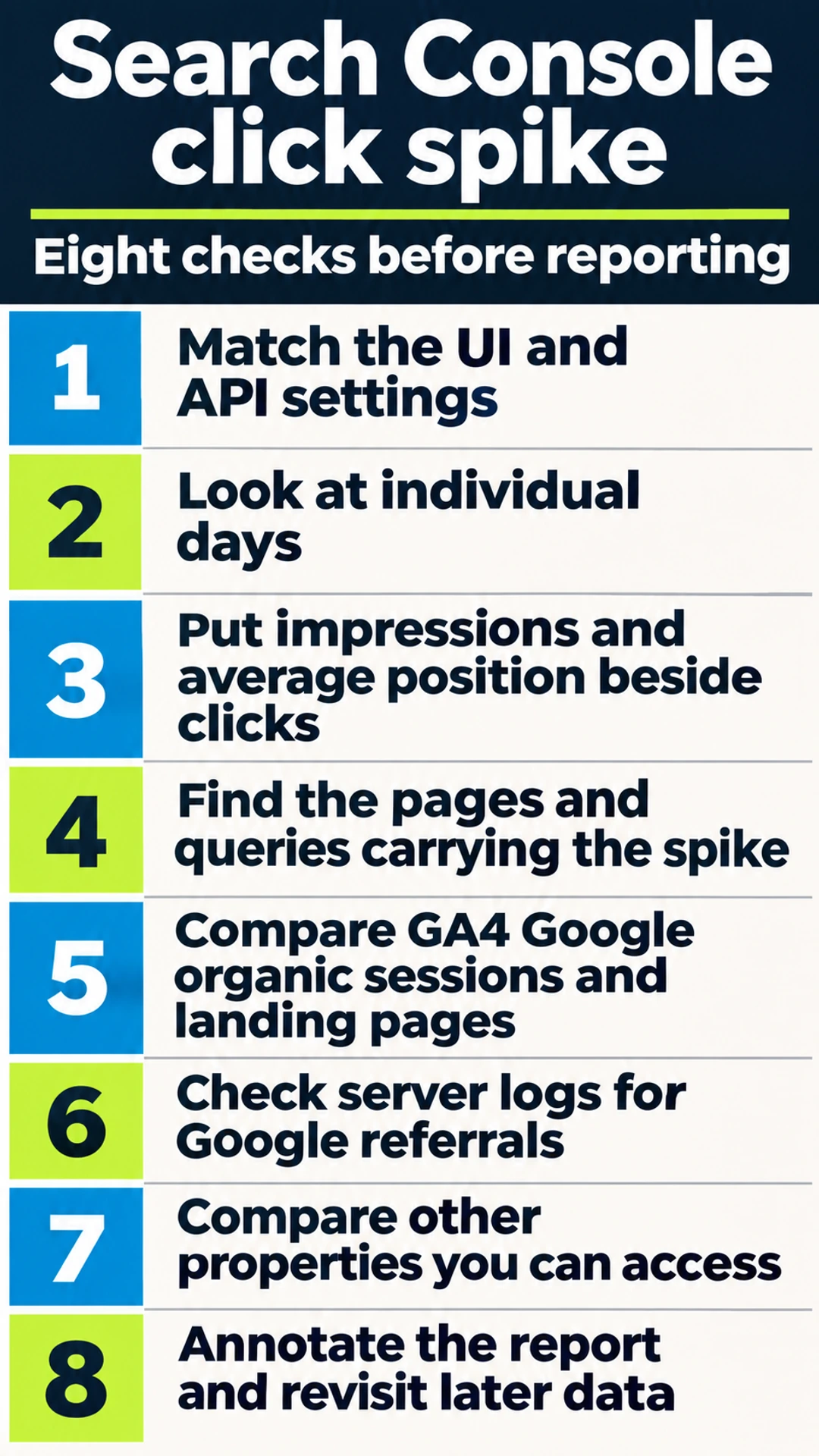
My step-by-step verification checklist
1. Match the UI and API settings
Save a screenshot and export of the affected report. Record the property, date range, search type, country, device and any page, query or search appearance filters. Record when you collected it too.
Then compare the UI with an API extract using the same settings. Match the aggregation and dimensions where possible. A page-level extract and a property total are different comparisons, even when the date range matches.
If one view has the spike and the other does not, document that difference. If both show it, record agreement. Neither result independently proves that additional people reached the site: both are views of Search Console reporting.
2. Look at individual days
Switch to daily granularity. Identify the first affected day and whether the movement continues, disappears or changes in a later export. A weekly total can hide a short-lived discontinuity.
Compare equivalent weekdays around the event. Keep the date boundaries visible, particularly when comparing tools with different reporting time zones. Do not compare a partial day with a completed day and present the difference as growth.
I would save later extracts alongside the original, with collection times. Replacing the first file removes the evidence needed to explain a revision.
3. Put impressions and average position beside clicks
Keep all three metrics in the same daily view. Check whether the apparent CTR improvement has a plausible explanation in the affected queries, devices or countries.
Average position is an aggregate. A stable property average can hide changes within a page group, so repeat this check on the pages responsible for the increase. A better average also does not explain every additional click automatically.
Calculate CTR using clicks and impressions from the same scope. Avoid combining property clicks with impressions from a filtered query table. That produces a ratio you cannot interpret reliably.
4. Find the pages and queries carrying the spike
Sort pages by the increase in clicks between comparable periods. Start with the biggest contributors, then inspect their queries, impressions, position and CTR. Repeat by device and country when the concentration suggests it.
Look closely at low-ranking pages with an apparently impossible CTR. I would first check whether the rows, dates and aggregation match. An implausible combination is a reason to inspect the data, not evidence that users suddenly preferred a buried result.
Query rows may not account for every click in the total. Keep unexplained volume visible rather than forcing the table to reconcile. Save the page list that analytics and log checks will use next.
My rank tracker data checks follow the same principle: validate the measurement before turning it into an action.
5. Compare GA4 Google organic sessions and landing pages
In GA4, isolate Google organic sessions using session source and medium. Compare the affected days and landing pages with the Search Console page list. A rise elsewhere on the site does not corroborate these pages.
Look for a corresponding change in arrivals and business outcomes. Sessions and clicks are different metrics, so I would compare direction, timing and concentration rather than demand an exact numerical match.
If GA4 is flat, check whether consent, missing tags or recent tracking changes limit the comparison. Flat analytics alone cannot prove a Search Console bug. It does mean I need another check before describing the click increase as additional traffic.
Keep attribution separate too. The AI referral traffic audit explains why a source label needs investigation before it becomes a claim about where visitors came from.
6. Check server logs for Google referrals
Ask for requests to the affected landing pages during the same window. Inspect the HTTP Referer field for Google referral hosts, including google.com. Parse the hostname rather than matching any string containing that domain.
Where relevant, check other genuine Google hostnames too. Separate likely visitor page requests from resources, crawlers, monitoring and repeated automated requests. A Google referrer can be spoofed, and a request does not establish a person or a qualified visit.
Logs may lack referrer information, and origin logs may miss requests served at a CDN. Record the coverage before interpreting an absence. The useful question is whether independent request evidence supports the timing and landing-page pattern.
7. Compare other properties you can access
Check other properties with permission, using the same daily window. Note which show the pattern and which do not. Similar timing across unrelated sites makes a shared reporting issue worth investigating, but it does not confirm one.
For overlapping properties, check their scope before comparing totals. A domain property and a narrower URL-prefix property are not interchangeable. Keep client information private when documenting the comparison.
8. Annotate the report and revisit later data
Mark the affected period as an unverified reporting anomaly while checks remain open. Save the evidence, assign the next check and set a time to review the later data.
Check Google's Search Console data anomalies page for an applicable notice. An entry could provide context, the absence of an entry would not prove your data is correct.
If later exports return to normal or revise the affected days, update the annotation and retain both versions. Do not promise a correction date that Google has not provided.
Real spike or reporting anomaly: use the evidence together
I use this matrix to decide what to report next. These are working interpretations, not confirmed causes.
| Evidence pattern | Working interpretation | Next action |
|---|---|---|
| GSC, GA4 and logs rise on the same pages | Real traffic increase supported | Check outcomes and traffic quality |
| GSC rises, GA4 and logs do not corroborate | Reporting anomaly suspected | Check coverage and later data |
| UI and API disagree under matched settings | Reporting inconsistency unresolved | Preserve both extracts |
| Independent evidence is incomplete | Traffic increase unverified | Fill the evidence gaps |
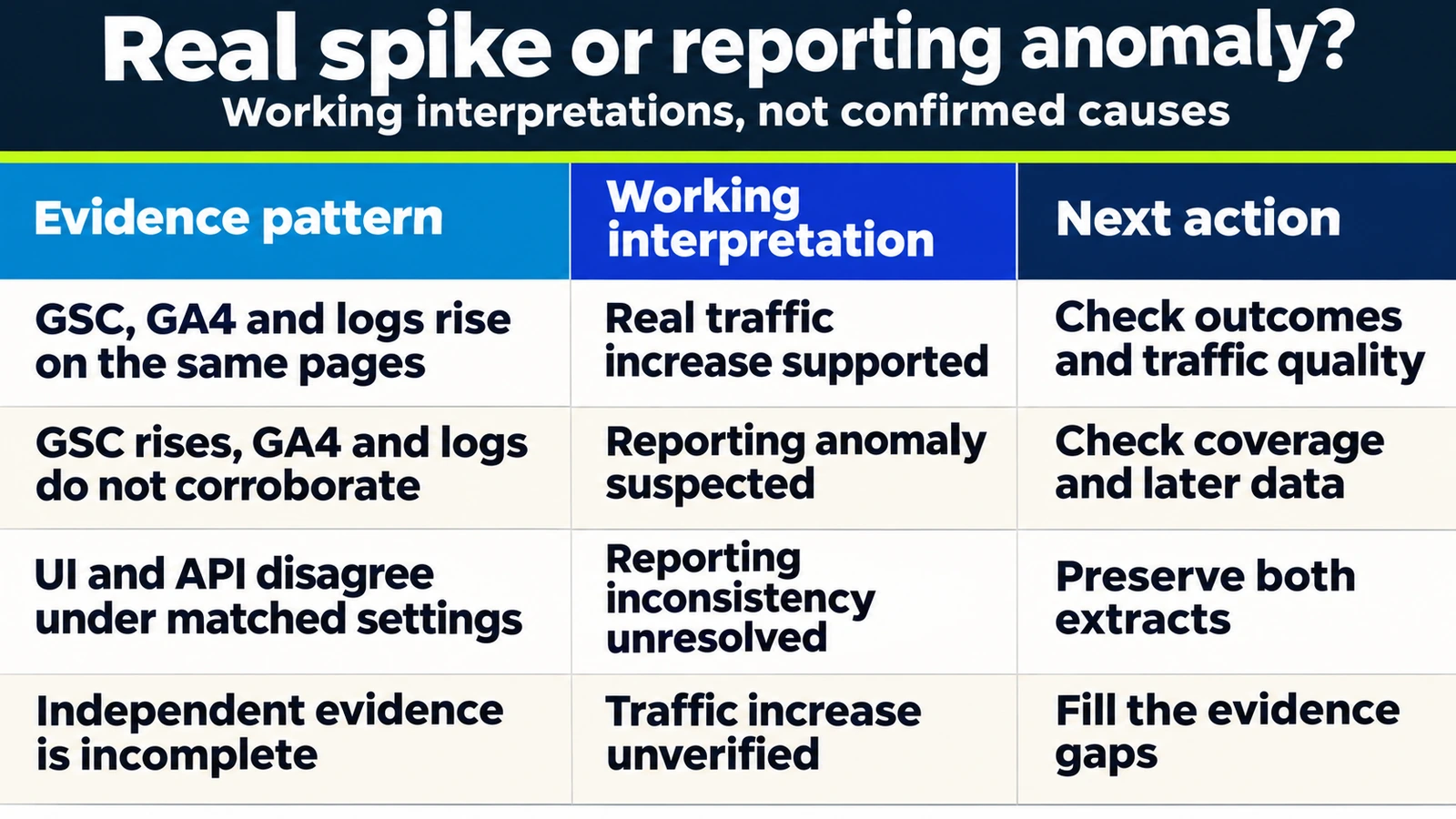
Even the first row does not establish why traffic increased. A campaign, changing demand or another factor would need its own evidence before I credited an SEO change.
Expert Insight | Francisco Leon de Vivero
I would rather send a short note saying the increase is under review than explain later why an unverified number became a performance claim. Keep the original observation and the interpretation in separate sentences.
What I would avoid changing
I would not claim an SEO win, raise forecasts or change targets because of this spike. I would also avoid changing titles, templates or internal links to preserve a gain that has not been validated.
The same standard applies to drops. A sudden fall deserves verification before emergency edits. If independent evidence shows a real visibility problem, move into the site disappearance investigation with that evidence.
How I would explain it to a client
This is the wording I would use while the checks remain open:
Search Console is showing an unusual increase in clicks. Impressions have not increased alongside it, so I am treating the change as unverified. I am checking Google organic landing pages in GA4, available server logs and the API against the interface. I will update the report when those checks and later data give us a clearer answer. I recommend keeping targets unchanged for now.
Attach the affected dates, checked sources and remaining gaps. If the report must go out today, retain the observed number with that qualification. Do not silently remove it or include it in a headline growth claim.
FAQ
Does a Search Console click spike mean traffic increased?
It may, but the report alone does not establish additional visits. Compare the affected pages and days with GA4 Google organic sessions and available server logs.
Is the November spike a confirmed Google reporting bug?
No confirmation is established by the reports cited here. Search Engine Land had asked Google, with no answer published at the time of writing. Keep the cause open.
Does seeing the spike in the API validate it?
It confirms the API returned the movement. It does not independently validate visits, and the reported UI and API discrepancies still require checking matched settings.
Should I change targets if clicks suddenly drop instead?
Verify the decline first using the same checks. Change forecasts or begin corrective work when the supporting evidence warrants it, rather than reacting to one line.
Keep the click increase provisional until the evidence supports reporting it as traffic.
Growing Search can help review the evidence and agree the next investigation through technical SEO advisory.
About the Author