Crawled - Currently Not Indexed: What Google's New Wording Means and What to Fix First
What to investigate when Google crawls pages without indexing them. Prioritize important URLs. Hero illustration generated with AI.
“Crawled - currently not indexed” means Google fetched your page but has not included it in its index. It does not identify the cause. Google's revised help text makes the practical distinction clearer: this can be normal, but important pages deserve investigation.
A redundant filter URL and your main service page can carry the same label. I would not put them in the same recovery queue. First decide which pages should bring people to your business, then check what is keeping those pages out.
What Google's new wording actually tells you
I checked the current Page indexing documentation on November 5, 2026. It describes the message as common because Google does not index everything, and directs you to URL Inspection for important pages.
That is useful guidance for interpreting the report. It is not evidence of a new algorithm, a different indexing threshold or a recovery deadline. I have not independently archived the earlier help text, so I am not presenting an exact before-and-after quote or a date when particular sentences disappeared.
The decision for your site is still specific: should this URL be a search destination, and what does the evidence show? A label cannot answer both questions.
Filter the list before fixing anything
Export the available examples and join them to your inventory of intended canonical URLs. Search Console's example lists are incomplete and capped at 1,000, so a missing row does not prove a page is unaffected. Keep the export date with your file.
I use the following split. This is my working triage, not a Google policy.
| URL you find | My first decision | What happens next |
|---|---|---|
| Main service page or guide that supports a buying decision | Investigate | Check current eligibility and what the page contributes |
| Useful category with a distinct search purpose | Investigate | Review its unique purpose, content and navigation |
| Filter that repeats the same collection with a different sort order | Usually leave out of the recovery queue | Confirm the intended URL policy |
| Tag page that adds no useful destination beyond existing pages | Review its purpose | Improve it only if it deserves an independent search role |
| Genuine near-duplicate of another important page | Consider consolidation | Choose a destination and align the relevant signals |
Tags and categories are not automatically low value. Judge the actual destination. A well-maintained category can be the page a searcher needs.
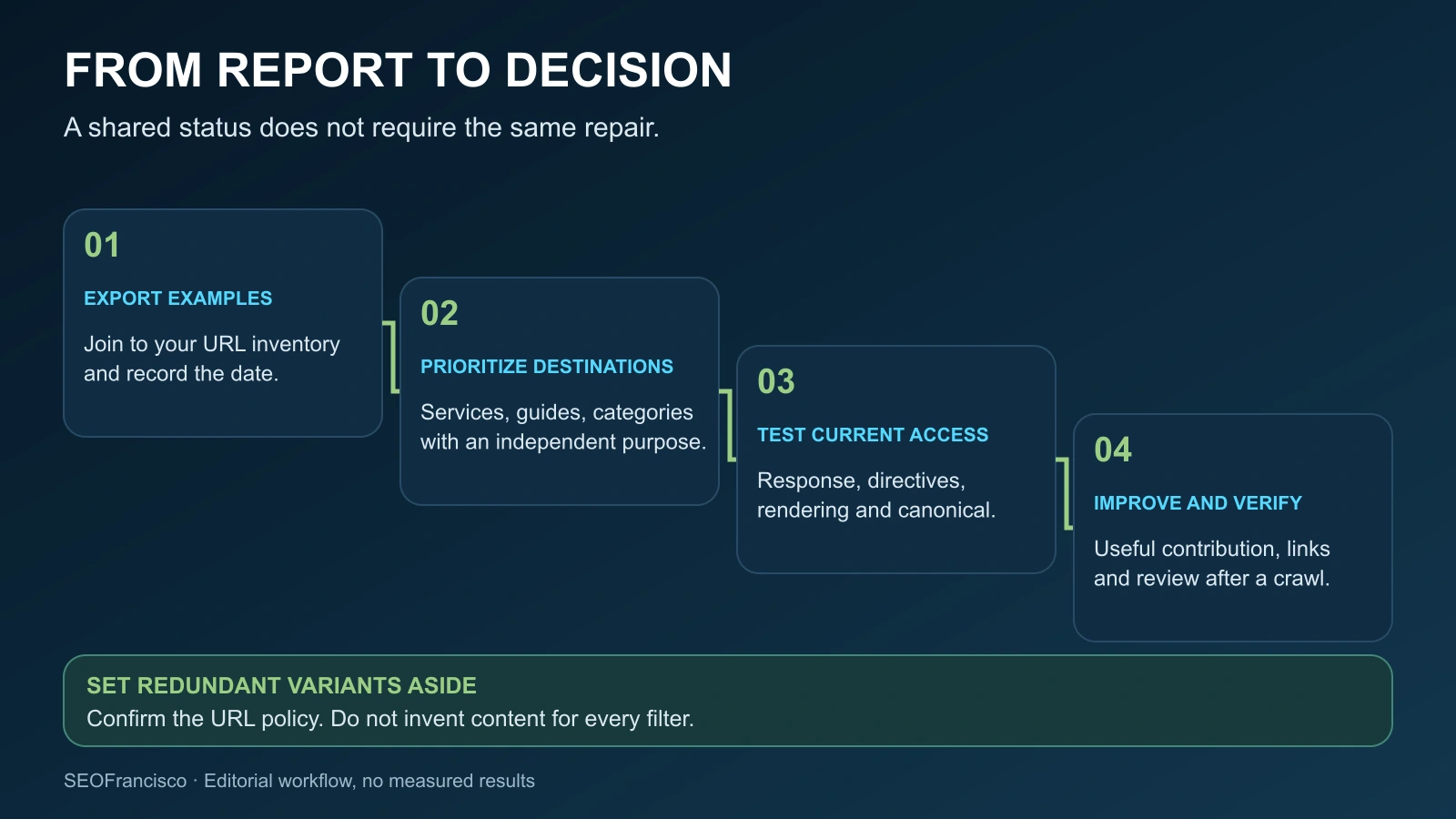
If only your homepage is indexed, follow that separate diagnosis for a site-wide pattern. The task here is narrower: decide which exclusions need attention and assign a useful next action.
Check what Google can access today
For each priority page, save the stored inspection result and run a live test. Start with the response and directives, then examine the rendered page. A crawl in the past does not prove that today's version is accessible.
My technical review asks:
- Does the final intended URL return a usable page, without an unexpected redirect or intermittent server failure?
- Is there a
noindexdirective in the HTML or anX-Robots-Tagresponse header? - Can the crawler access the page and the resources needed to show its main content?
- Does the rendered HTML contain the actual service, product or guide content?
- Does the declared canonical match the destination you intend to index?
- Do the sitemap and internal links use that same destination?
The URL Inspection documentation distinguishes stored information from a live fetch. Passing the live test does not prove indexing, and it cannot predict Google's canonical choice. If the Google-selected canonical field is unavailable, leave it marked unavailable.
Fix a demonstrated technical conflict before assigning the problem to content. Our indexation and crawlability playbook covers a fuller review when the checks reveal a template or site-structure issue.
When the checks pass, review the page's contribution
An accessible page can still fail to earn inclusion. The status does not tell you that content quality caused the exclusion, but clean technical checks give you a reason to examine the page more closely.
Compare it with pages currently serving the same search task. For a service page, I would look for missing scope, delivery details, supported examples and answers a buyer needs before making contact. A page that merely repeats a service name in headings may leave those questions unanswered.
Google's people-first content questions focus on original contribution and usefulness. There is no preferred word count. Add information you can substantiate, rather than expanding every section to reach a target length.
If another page on your site already handles the task better, decide whether the two need separate roles. Consolidation can be appropriate for real overlap. Check redirects, canonicals, sitemap entries and internal links together, using Google's canonical guidance. Sending unrelated excluded URLs to the homepage does not resolve their purpose.
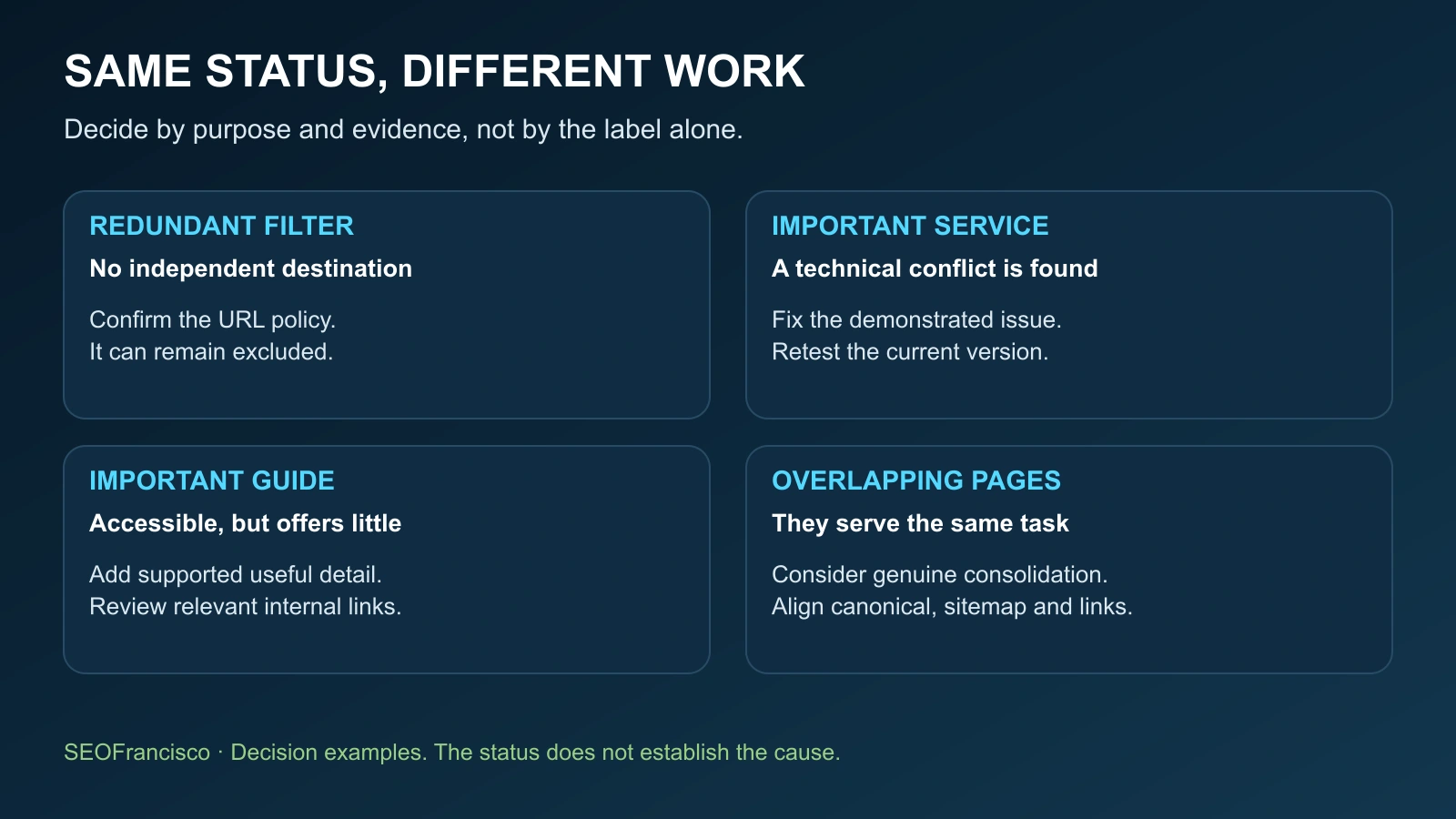
A service page and a filter need different work
Consider a hypothetical consultancy. Its main migration service page is excluded. So is a filter that changes the order of the same case studies.
I would inspect the service page first. If it is technically eligible but vague about the service, I would add a clear scope, explain the migration checks and include a relevant example that the business can support. Then I would find an established guide where linking to that service helps the reader take the next step.
For the filter, I would confirm whether it needs an independent search destination at all. If it adds no distinct value, I would leave it outside the priority queue and review its URL policy. Creating an article-length introduction for every sorting combination would be wasted work.
Neither decision comes from the label alone. The first page has a business purpose that needs investigation. The second may be behaving as intended.
Add a useful internal route, then record the result
Look for a relevant, established page from which a reader would benefit from visiting the excluded URL. A guide about migration planning is a natural place to introduce a migration service. An unrelated footer link repeated everywhere offers less useful context.
Use ordinary crawlable links and descriptive anchors. Google's link best practices explain the markup. Internal links help people and crawlers reach the page, but do not guarantee its inclusion.
After a meaningful change, request recrawling where appropriate. Google's recrawl guidance says repeating a request does not make crawling faster, and inclusion is not guaranteed. Use a sitemap for larger sets.
Keep a working row for each important URL:
| Record | What I put in it |
|---|---|
| Purpose and priority | The customer task and why this page matters |
| Inspection evidence | Status, last crawl, live-test date and available canonical data |
| Finding and change | The observed problem, evidence and exact correction |
| Internal route | A relevant source page and the reason for the link |
| Next review | Owner, review date and whether Google has crawled the changed version |
Separate a new crawl from successful indexing and from search demand. Our Googlebot crawl versus clicks analysis explains why those measurements can move independently. A smaller exclusion count alone is not proof that your important pages are back.
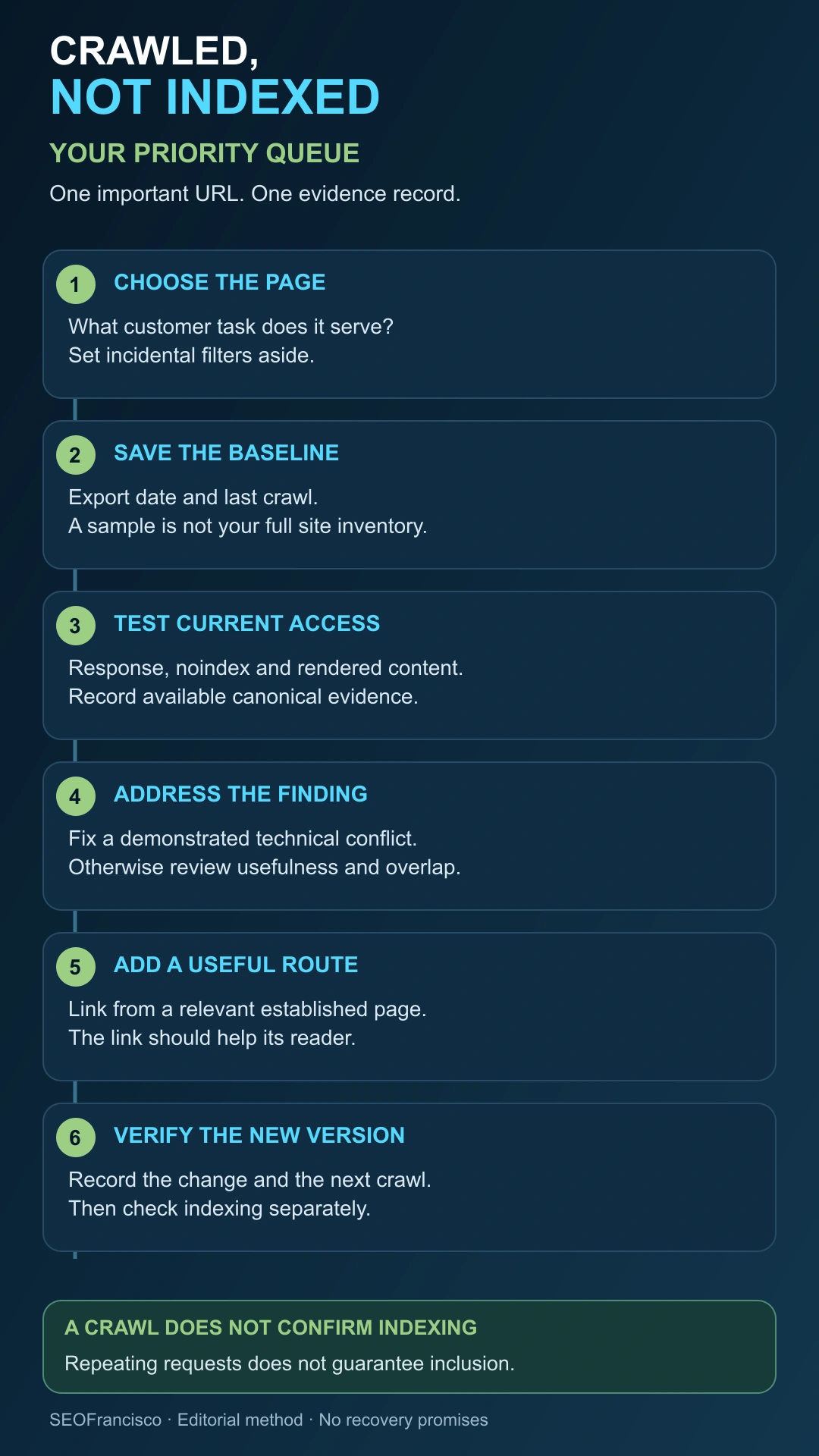
Indexing is not guaranteed. Start with the pages that matter to your business. If you need help assigning the work, an SEO audit or technical SEO advisory can turn the export into a practical review queue.
Frequently asked questions
Does crawled currently not indexed mean a penalty?
No. The status alone does not diagnose a penalty or a quality problem. Check Manual actions separately if you suspect a reported action, then investigate the evidence for the affected URL.
Is this different from discovered currently not indexed?
Yes. Discovered means Google found the URL but has not crawled it yet. Crawled means a fetch took place. Check the stored crawl information before choosing the next diagnostic step.
Does passing the live test mean my page is indexed?
No. A live test checks the current page's fetch and eligibility. It does not confirm inclusion in the index or predict Google's canonical selection.
Should I add more words or submit the URL every day?
Neither is a reliable repair. Add useful missing information rather than aiming for a word count. Repeated recrawl requests do not speed crawling or guarantee indexing.
Should every filter or tag page be indexed?
No. Prioritize destinations with a distinct search purpose. A useful category can deserve investigation while a redundant sorting variant can remain excluded.
When should I use the indexing issue form?
Google points to the form after you have diagnosed possible causes and suspect a complete site-wide indexing bug. It is not a shortcut for one excluded service page.
About the Author