15 Claude Prompts to Rank in LLM Answers Today
Use these 15 Claude prompts to audit LLM visibility, find competitor citation gaps, target best-of lists, structure content for AI search, and build a weekly AI ranking workflow.

57-Second LLM Prompt Recap
Watch the Short Before You Read
A fast workflow for turning Claude prompts into visibility audits, buyer question maps, competitor citation gaps, and AI-ready proof assets.
15 Claude Prompts to Rank in LLM Answers Today
TL;DR: Ranking in LLM answers is not a magic prompt trick. The useful work is running repeatable audits that show where your brand is absent, why competitors are easier to cite, and which pages, videos, mentions, schema, and third-party references you need to create next. These 15 Claude prompts turn AI visibility into a weekly operating system.
Use these prompts to:
- Check whether ChatGPT, Claude, Perplexity, and Google AI Mode mention your brand.
- Find the pages and third-party sources that make competitors easier to recommend.
- Create content briefs, schema, YouTube transcript assets, llms.txt entries, and outreach targets.
- Build a repeatable LLM visibility tracker instead of guessing from one-off chats.
The research backs that direction. OpenAI says ChatGPT search can return answers with links and inline citations, and that inclusion depends on reliable, relevant information plus crawl access for OAI-Searchbot. Anthropic's Claude docs recommend defining success criteria before prompt engineering, then using structured prompts, examples, roles, and XML tags when prompts mix instructions, context, and input. The GEO research paper accepted to KDD 2024 found that content optimization for generative engines can increase visibility by up to 40% in tested settings.
That does not mean one prompt will make you rank. It means Claude can help you run the work that makes ranking more likely: audit the answer layer, find evidence gaps, and turn those gaps into pages, videos, digital PR, and structured data.
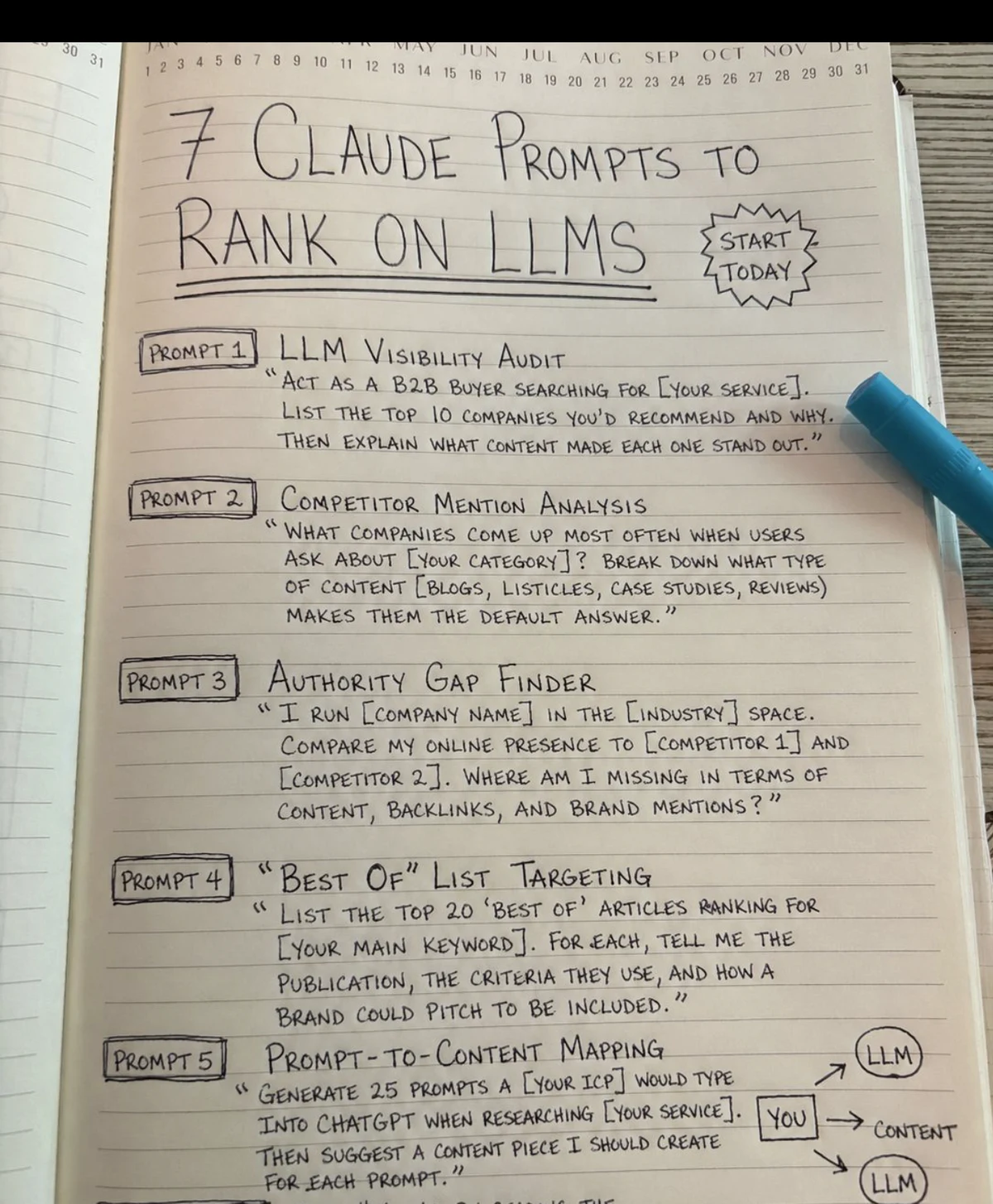
How to Use These Prompts
Do not run all 15 prompts once and call it done. Use them in loops. Start with a category, generate buyer prompts, test real engines, log who appears, then ship fixes. Repeat next week. AI rankings are answer patterns, not static positions.
For best output from Claude, paste enough context. Put the source material first, then instructions, then the desired output format. Use clear labels for inputs. If you are using long content, put the article, transcript, or competitor page above the question and ask Claude to quote the evidence it used before making recommendations.

The 15 Claude Prompts
1. LLM Visibility Audit
This is the first prompt to run for any brand, product, service, or local business. It gives you a baseline before you touch content.
Act as a B2B buyer researching [SERVICE OR CATEGORY].

List the top 10 companies you would recommend for this need.
For each company, explain:
1. Why it would be recommended.
2. What sources or content types likely support that recommendation.
3. What proof would make the recommendation stronger.

Now check whether [MY BRAND] appears. If it does not appear, explain the most likely missing signals.
Use the output for: a visibility baseline, competitor list, and first hypothesis for why your brand is absent.
2. Buyer Prompt Map
Most teams optimize for keywords. LLM users ask full questions with constraints, risk, budget, location, and comparison language. This prompt builds the prompt set you test every week.
Using this buyer profile:
[JOB TITLE]
[INDUSTRY]
[BUDGET]
[TIMELINE]
[RISK THEY WANT TO AVOID]
[SELECTION CRITERIA]

Generate 25 realistic prompts this buyer would type into ChatGPT, Claude, Perplexity, or Google AI Mode while researching [CATEGORY].

Group them by:
- problem diagnosis
- vendor discovery
- comparison
- implementation
- pricing
- risk
- local or industry constraints

Write them in natural buyer language, not keyword language.
Use the output for: your LLM rank-tracking query set.
3. Competitor Mention Analysis
This prompt finds the brands that appear by default and the content formats behind those mentions.
What companies come up most when users ask about [CATEGORY]?

For each company, break down:
1. The likely source types behind the recommendation.
2. The topics they are associated with.
3. The proof points AI systems can easily reuse.
4. The weaknesses or missing details in their public content.

Then compare [MY BRAND] against those patterns.
Use the output for: competitor pages to review, source types to pursue, and claims to prove.
4. Authority Gap Finder
Use this when competitors are mentioned and you are not. The point is to separate content gaps from brand proof gaps.
I run [COMPANY NAME] in the [INDUSTRY] space.

Compare my public presence to:
[COMPETITOR 1]
[COMPETITOR 2]
[COMPETITOR 3]

Analyze gaps across:
- owned content
- third-party mentions
- reviews
- backlinks
- YouTube and podcast mentions
- case studies
- author expertise
- schema and entity consistency

Return a prioritized 30-day fix list.
Use the output for: deciding whether the next action is a page, a video, a review push, a PR pitch, or a schema fix.
5. Best-Of List Targeting
LLMs lean on third-party roundups because they compress a market into a ranked set. This prompt turns listicles into outreach targets.
List the top 20 "best of" articles ranking for [MAIN KEYWORD].

For each article, tell me:
1. Publication name.
2. Which competitors are included.
3. Criteria used to choose companies.
4. Whether [MY BRAND] is missing.
5. What proof I would need to pitch inclusion.
6. The best angle for a short outreach email.
Use the output for: digital PR and listicle inclusion. Keep the pitch evidence-based. Do not ask for inclusion without a reason the editor can verify.
6. Prompt-to-Content Mapping
This is the bridge from AI search demand to your editorial calendar.
Generate 25 prompts my ideal customer would type into ChatGPT when researching [SERVICE].

For each prompt, recommend one content asset I should create:
- blog post
- comparison page
- case study
- FAQ section
- YouTube Short
- full video
- data study
- tool

For each asset, include the title, search intent, proof required, and the best internal page to link to.
Use the output for: content planning. This turns AI prompts into pages and videos, not loose ideas.

7. Answer-First Rewrite
AI systems extract tight answer blocks. If a page takes four paragraphs to get to the point, it gives the model extra work.
Review this section for AI extraction:
[PASTE SECTION]

Target question:
[QUESTION]

Rewrite the section using this format:
1. Direct answer in one sentence.
2. Clarification in one sentence.
3. Proof or example in one sentence.
4. Next action in one sentence.

Keep the rewritten block under 90 words.
Use the output for: section intros, FAQ answers, comparison pages, and tool pages.
8. Source and Citation Gap Audit
If your content makes claims but does not cite anything, AI systems have less reason to trust it. This prompt finds claims that need proof.
Audit this article for citation readiness:
[PASTE ARTICLE]

Find:
1. Claims that need external evidence.
2. Claims that need internal data.
3. Claims that need a screenshot or example.
4. Claims that sound too generic to cite.
5. Places where a better source would improve trust.

Return a table with claim, risk, proof needed, and recommended source type.
Use the output for: improving AI citation eligibility before publishing.
9. Reddit and Community Language Map
Many AI answers inherit community phrasing. This prompt helps rewrite headings and FAQs around real buyer language.
Here are my current headings:
[PASTE H2 AND H3 HEADINGS]

Rewrite them as questions a real person might ask on Reddit, forums, or an AI search engine.

Grade each original heading:
A = already conversational
B = too keyword-heavy
C = too generic

Return the improved heading, the user intent, and the best answer format.
Use the output for: FAQ sections, section rewrites, Reddit-led content, and community-aware briefs.
10. YouTube Transcript Asset Builder
Video is now part of AI visibility work. We already covered why YouTube mentions matter in the Ahrefs brand visibility analysis. This prompt turns a video transcript into a machine-readable source.
Convert this YouTube transcript into an AI-search-friendly article asset:
[PASTE TRANSCRIPT]

Create:
1. A clear title.
2. Timestamped chapters.
3. A 5-bullet key findings section.
4. A glossary of named entities.
5. A list of claims that need source links.
6. A short description for YouTube.
7. A blog embed intro that explains why the video matters.
Use the output for: turning video into crawlable text, YouTube descriptions, and article embeds.
11. Schema and Entity Extraction Audit
This prompt checks whether a page gives machines enough entity context.
Audit this page for entity clarity and structured data:
[PASTE PAGE CONTENT]

Brand:
[BRAND]

Return:
1. Primary entity.
2. Secondary entities.
3. Services or products.
4. People and credentials.
5. Locations.
6. Missing schema types.
7. JSON-LD fields that should be added.
8. Claims that should not be marked up because they are not visible on the page.
Use the output for: schema planning and entity cleanup. Keep schema aligned with visible content.
12. llms.txt Page Map
An llms.txt file helps AI systems understand your site structure. It is not a ranking guarantee, but it reduces ambiguity.
Read this list of priority URLs:
[PASTE URL, TITLE, DESCRIPTION LIST]

Create an llms.txt draft in clean Markdown.

Group pages into:
- Core services
- Industry pages
- Case studies
- Tools
- Research and insights

For each URL, write one neutral sentence explaining what problem the page solves.
Avoid hype. Include only pages that are useful for AI understanding.
Use the output for: building or refreshing `/llm.txt` and making priority pages easier to classify.
13. Comparison Page Evidence Upgrade
Comparison pages can win LLM mentions if they are fair and specific. They fail when they read like disguised sales copy.
Audit this comparison page:
[PASTE PAGE]

Find where it needs:
1. A clearer evaluation method.
2. A fair competitor description.
3. A real screenshot or example.
4. A pricing or feature verification date.
5. A weakness or limitation.
6. A better summary table.

Return a rewrite plan that makes the page more credible to a human buyer and easier for an AI system to cite.
Use the output for: vendor comparison pages, alternative pages, and best-tool content.
14. AI Engine Scorecard
This prompt converts tests into a simple tracker. Run it after you manually test your prompt set in each engine.
Here are the results from my LLM visibility tests:
[PASTE RESULTS FROM CHATGPT, CLAUDE, PERPLEXITY, GOOGLE AI MODE]

Create a scorecard with:
1. Query.
2. Engine.
3. Brands mentioned.
4. My brand position.
5. Sources cited.
6. Reason my brand was included or excluded.
7. Next action.

Summarize the 5 highest-impact fixes.
Use the output for: weekly reporting and prioritization. This becomes your share-of-answer tracker.
15. Content Refresh for AI Citation Decay
AI answers reward current, structured, easy-to-verify pages. This prompt tells you what to refresh before a page gets stale.
I have an article targeting [KEYWORD] published on [DATE].

Article:
[PASTE ARTICLE]

Create a refresh plan for AI citation readiness:
1. Outdated sections.
2. Missing 2026 topics.
3. Claims that need newer data.
4. Sections that need answer-first rewrites.
5. Internal links to add.
6. Images, diagrams, or video assets to add.
7. Schema updates.
8. A revised title and meta description.

Prioritize the fixes by expected value.
Use the output for: keeping core pages eligible for citations, not just updated for a new publish date.
The Weekly Workflow
Here is the practical cadence I would run every week for a brand that wants AI visibility:
- Run Prompt 2 to maintain the buyer prompt set.
- Test 20 prompts in ChatGPT search, Claude, Perplexity, and Google AI Mode.
- Log results with Prompt 14.
- Use Prompts 3, 4, and 8 to diagnose missing proof.
- Ship one asset from Prompt 6 or Prompt 10 every week.
- Refresh one existing page with Prompt 15.

If you want the strongest starting point, pair this workflow with our analysis of Google's push against SEO prompt injection and weak listicles. The lesson is simple: do not try to trick the model. Create visible proof that a human can inspect and an AI system can reuse.
My Recommendation
Start with 25 buyer prompts. Test them weekly. Then use Claude to explain why your brand did or did not appear. That single habit will tell you what to build next: a page, a video, a listicle pitch, a schema fix, a review push, or a better answer block.
Claude is useful here because it can process messy inputs: transcripts, competitor pages, search results, source lists, sitemap exports, and raw notes. But the output only matters if you turn it into proof on the web. AI search visibility is earned through useful, verifiable content in places models can retrieve.
The prompt is the steering wheel. The ranking signal is the evidence you publish after Claude shows you the gap.
About the Author