DESIGN.md and Open Design: The Open Workflow That Can Replace Claude Design Limits
Google’s DESIGN.md spec and the Open Design project create an open, local-first workflow for AI design systems, prototypes, decks, media, and agent-driven UI work without being trapped by Claude Design usage limits.

TL;DR: Claude Design proved that AI design should be artifact-first: prompt, clarify, generate, preview, refine, export. The problem is control. Usage limits, closed tooling, and model lock-in make it hard to build a dependable production workflow around it. Google’s DESIGN.md and Nexu’s Open Design point toward the better architecture: open design-system files, local agents, reusable skills, sandboxed previews, and exports that live on your machine.
What you'll learn:
- Why DESIGN.md matters more as an agent-readable design contract than as a “new markdown file.”
- How Open Design turns that contract into a local-first Claude Design alternative.
- Where the workflow is already strong, where it is still early, and how SEO/product teams should adopt it.
AI design tools are moving through the same phase SEO tools went through a decade ago: the first impressive interface arrives, everyone tests it, then serious teams immediately ask the harder question. Can we run this every day? Can we standardize it across clients? Can we preserve brand memory? Can we export the work? Can we change models when one provider gets expensive, slow, or restrictive?
That is why the conversation around Claude Design is larger than Claude Design itself. The feature is powerful because it changes the mental model from “chatbot writes code” to “agent produces a visual artifact.” But if the workflow is closed, rate-limited, and locked to one model environment, it becomes difficult to make it part of a serious creative or marketing operation. A designer can wait for inspiration. A production team cannot wait for a usage counter to reset.
The open-source response is now taking shape. Google’s DESIGN.md gives agents a structured way to understand visual identity. Open Design wraps local coding agents, design systems, skills, previews, and exports into a workflow that looks much closer to a practical replacement layer. Together, they suggest a future where the design memory belongs to the project, not the model vendor.
This is not just useful for designers. It matters for SEO, GEO, content systems, SaaS teams, agencies, and anyone using AI to ship landing pages, pitch decks, product mockups, dashboards, social assets, video frames, or branded content at scale. If you are already thinking about AI SEO, the same principle applies here: the more your operating knowledge is locked inside one model session, the more fragile your output becomes.
Why Claude Design Hit a Nerve
Claude Design became interesting because it made the design process feel less like code generation and more like creative direction. The output was visual. The loop was fast. The model could interpret broad intent, create an artifact, and let the user react to something tangible. That is a major step beyond asking a chatbot for a CSS snippet.
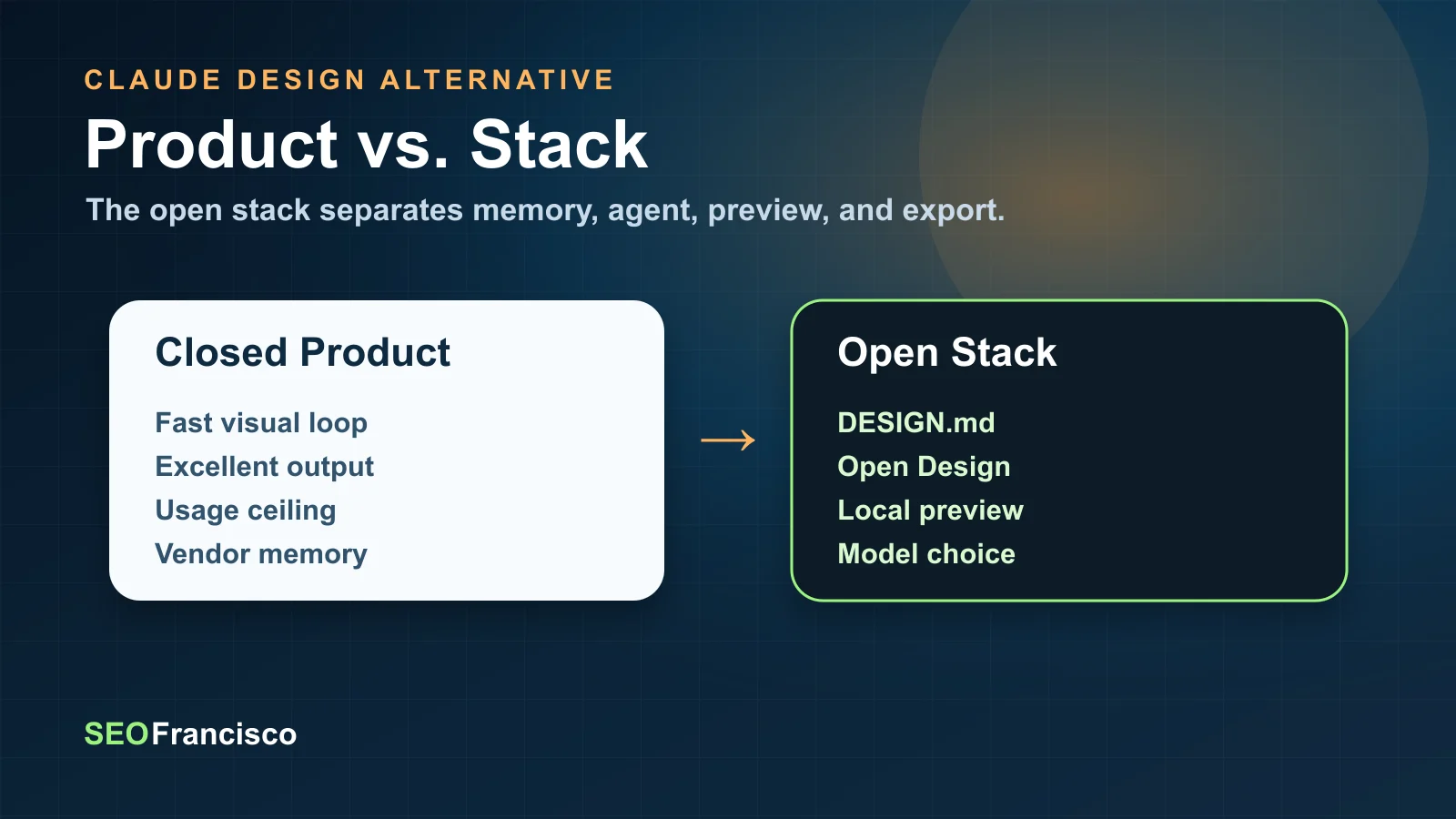
But the same strength exposed the weakness: if users start relying on an AI design product for actual ideation and production, usage limits become workflow limits. When the best design iteration happens inside a closed product, the team loses control over throughput, file structure, model choice, and long-term design memory.
The screenshot you shared captures the core frustration well: Claude Design may be extremely capable, but it is still closed, expensive relative to an open local setup, and controlled by Anthropic’s product constraints. The problem is not that usage limits exist. Every hosted model has cost and compute constraints. The problem is that design work is iterative by nature. A strong creative session can burn through attempts quickly because the right result usually comes after several visual directions, not one perfect prompt.
That is where DESIGN.md and Open Design become strategically interesting. They do not merely imitate a feature. They separate the workflow into pieces that can be owned, inspected, versioned, and swapped:
- The design system becomes a file.
- The agent can be changed.
- The skill can be edited.
- The preview can run locally.
- The artifact can be saved to disk.
- The work can be reused tomorrow without starting from scratch.
What DESIGN.md Actually Is
Google’s DESIGN.md project describes itself as a format specification for visual identity that coding agents can read. The important word is not “markdown.” It is “persistent.” The format gives agents a durable, structured understanding of a design system instead of relying on whatever the user remembers to include in a prompt.
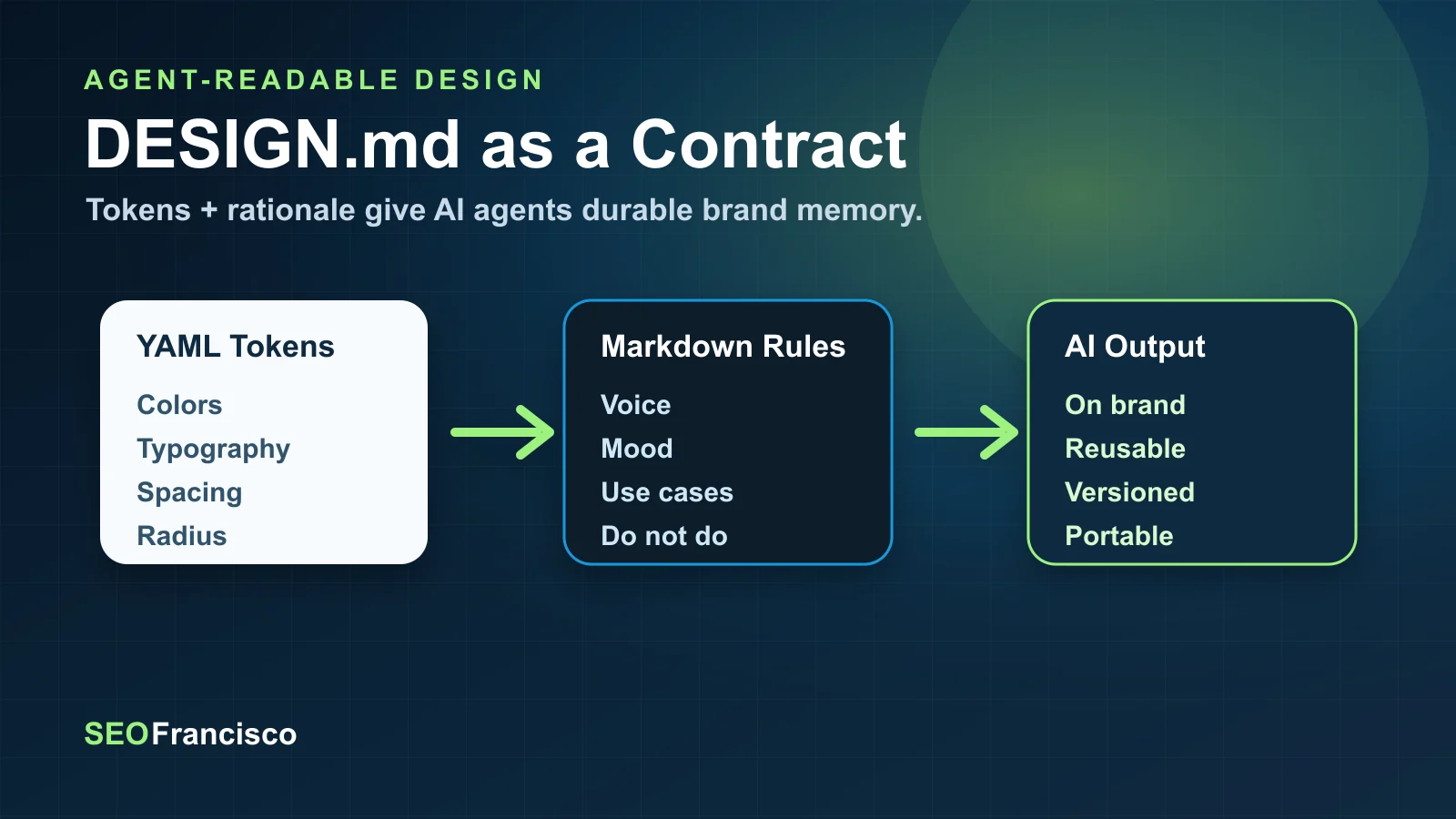
The structure is simple but powerful. A DESIGN.md file combines two layers:
- YAML front matter for machine-readable design tokens.
- Markdown body sections for human-readable rationale, brand voice, and practical guidance.
In Google’s spec, the tokens are the normative values and the prose explains how to apply them. That is exactly the missing layer in most AI design workflows. Agents often know how to produce something attractive, but they do not know what a specific brand’s primary color means, how aggressive the rounded corners should be, what typography hierarchy is acceptable, or when an accent color should be avoided.
DESIGN.md turns those preferences into a design contract. A simplified version looks like this:
---
name: Heritage
colors:
  primary: "#1A1C1E"
  secondary: "#6C7278"
  tertiary: "#B8422E"
  neutral: "#F7F5F2"
typography:
  h1:
    fontFamily: Public Sans
    fontSize: 3rem
  body-md:
    fontFamily: Public Sans
    fontSize: 1rem
rounded:
  sm: 4px
  md: 8px
spacing:
  sm: 8px
  md: 16px
---

## Overview
Architectural Minimalism meets Journalistic Gravitas.

## Colors
Primary is deep ink for headlines and core text.
Tertiary is reserved for the single strongest interaction.
The format gives agents both precision and taste. The YAML tells the agent the exact values. The prose tells it why those values matter. Without the prose, an agent can obey a palette but still produce the wrong mood. Without the tokens, it can understand the mood but improvise inconsistent implementation details.
Why an Open Format Matters More Than Another UI
Most AI design products solve the surface problem: they make it easy to generate a design. DESIGN.md addresses the deeper infrastructure problem: how does the agent know what “on brand” means across tools, sessions, and teams?
That matters because AI design is not a one-off prompt discipline. It is a memory discipline. The better the agent understands your system, the less time you spend repeating instructions like “use the same spacing as last time,” “make the buttons less round,” “do not use generic gradients,” or “this product is operational software, not a landing-page hero.”
For agencies, this is even more important. A serious agency could maintain a DESIGN.md for every client, then use that same file across Codex, Claude Code, Gemini CLI, Cursor, OpenCode, or any other agent that understands the format. The design identity travels with the project. The project does not depend on one vendor’s memory.
| Old AI Design Workflow | DESIGN.md Workflow |
|---|---|
| Prompt repeats brand rules each session. | Brand rules live in a versioned project file. |
| Agent guesses palette, typography, spacing, and component behavior. | Agent reads explicit tokens plus rationale. |
| Design memory is trapped in a chat or product. | Design memory can move across tools. |
| Consistency depends on prompt discipline. | Consistency depends on a reusable source of truth. |
What Open Design Adds on Top
DESIGN.md is the contract. Open Design is the workshop.
The Open Design README positions the project as an open-source alternative to Claude Design. It is local-first, web-deployable, BYOK-friendly, and designed to use the coding-agent CLIs already installed on your machine. The project says it can auto-detect agents such as Claude Code, Codex, Cursor Agent, Gemini CLI, OpenCode, Qwen, GitHub Copilot CLI, Hermes, Kimi, Pi, and Kiro, then use them as the design engine.
That is the right architecture. Instead of shipping one proprietary model experience, Open Design provides the orchestration layer:
- A web interface for chat, files, previews, settings, and imports.
- A local daemon using Express and SQLite.
- A project workspace on disk under
.od/projects/<id>/. - Agent adapters that spawn local CLIs.
- Skills that teach the agent what kind of artifact to produce.
- Design systems that define the visual language.
- A sandboxed iframe preview.
- Exports for HTML, PDF, PPTX, ZIP, and Markdown.
Open Design is important because it treats AI design as a filesystem workflow, not just a chat workflow. The agent reads files, writes artifacts, uses skills, applies design systems, and persists output locally. That is how serious teams already work. The AI layer should adapt to that model, not force the team into a single hosted creative surface.
The Practical Stack: DESIGN.md + SKILL.md + Local Agent
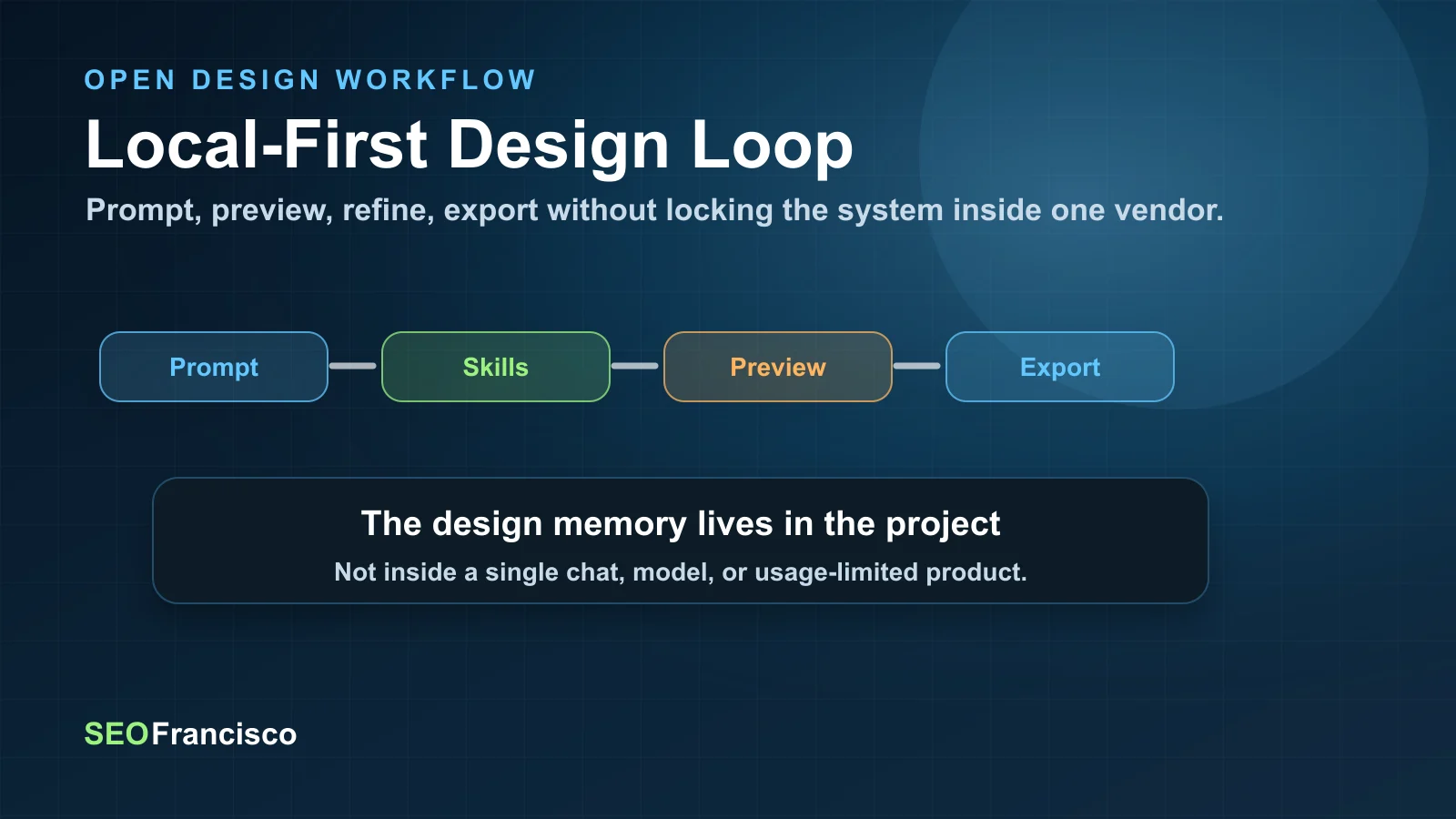
The most useful way to understand the new workflow is as a three-file or three-layer system:
- DESIGN.md defines how the brand should look and feel.
- SKILL.md defines what kind of output the agent should produce and how to judge it.
- The local agent creates the artifact, edits files, and runs the loop.
This is more durable than “ask the model to make a design.” The design file carries brand identity. The skill carries production method. The agent carries execution. When these are separated, each can improve independently.
For example, a SaaS homepage workflow could use:
- A client-specific
DESIGN.mdwith colors, typography, spacing, button rules, card treatment, accessibility constraints, and brand voice. - A
saas-landingskill that knows the expected sections, conversion hierarchy, responsive requirements, and export format. - Codex as the execution agent when you want code-aware iteration inside a repo.
- Claude Code or Gemini CLI when you want a different model’s visual reasoning.
- Open Design as the preview and artifact-management layer.
The agent stops being a generic design generator and becomes a worker inside a constrained production environment. That is the difference between a pretty demo and a repeatable design system.
Where Open Design Can Replace Claude Design Today
Open Design should not be described as a perfect replacement for every Claude Design use case. It is open-source, fast-moving, and more technical. But for many professional workflows, it may already be more valuable because it gives the team control.
The strongest replacement cases are:
1. Landing Pages and Web Prototypes
Open Design ships prototype skills for web pages, SaaS landing pages, pricing pages, docs pages, dashboards, mobile app screens, social carousels, posters, and more. That makes it useful for the same “make me a polished artifact” workflow that made Claude Design exciting, but with the added benefit of local files and inspectable output.
For SEO teams, this is not cosmetic. The ability to generate and iterate landing-page concepts locally means strategy, copy, design, and implementation can sit closer together. A consultant can move from keyword intent to page architecture to visual prototype in one environment, then hand the artifact to engineering or continue refining it in the repo.
2. Decks and Client Presentations
Claude Design’s artifact-first interface is naturally useful for decks. Open Design includes deck-oriented skills and export paths, including PDF and PPTX workflows. That matters for agencies because pitch decks and strategy decks are often repetitive but design-sensitive. A reusable skill plus a client DESIGN.md could make decks feel consistently branded without rebuilding templates manually.
3. Product UI Exploration
For product teams, the value is not only “generate a nice screen.” It is “generate several directions that respect our system.” A DESIGN.md can define the product’s density, tone, components, contrast rules, and spacing system. Open Design can then use those constraints across dashboard, mobile, docs, onboarding, or pricing skills.
4. Marketing Asset Production
Open Design’s README describes image, video, and HyperFrames media surfaces alongside the design loop. That is especially relevant for teams creating social cards, posters, explainer frames, product reveals, or motion graphics. In our own SEOFrancisco workflow, this connects directly with the move toward YouTube Shorts, article feature images, and video summaries.
The key benefit is continuity. The same design system that governs a landing page can also influence a social carousel, a YouTube thumbnail direction, a report cover, or a motion graphic. That is how a brand becomes recognizable across AI-produced assets instead of looking like a different prompt every day.
Claude Design vs Open Design: The Real Tradeoff
The tradeoff is not simply closed versus open. It is convenience versus ownership.
| Dimension | Claude Design | Open Design + DESIGN.md |
|---|---|---|
| Ease of start | Very strong. Hosted product experience with minimal setup. | More technical. Requires Node, pnpm, local setup, and agent configuration. |
| Control | Limited by Anthropic’s product, model, and usage constraints. | High. Local files, local daemon, BYOK paths, swappable agents. |
| Design memory | Product/session dependent. | Project-owned through DESIGN.md, skills, and saved artifacts. |
| Export and reuse | Depends on product capabilities. | HTML, PDF, PPTX, ZIP, Markdown, and local project files. |
| Best user | Someone who wants the fastest hosted design experience. | Someone who wants a repeatable production workflow across models and clients. |
For casual users, the hosted product may remain easier. For operators, agencies, and technical marketing teams, Open Design is more interesting because it creates leverage. You can build your own design library, keep artifacts on disk, pair the workflow with Codex, and create a production system that does not stop when one provider’s usage meter runs out.
The SEO and GEO Angle: Design Systems Become Content Infrastructure
At first, this looks like a design tooling story. It is also a search and content infrastructure story.
Generative search is increasing the value of consistent brand signals. If AI systems summarize your company, compare your services, or recommend your content, the brand needs to appear coherent across pages, media, docs, videos, and third-party mentions. That coherence is not only verbal. It is visual and structural.
A DESIGN.md can become part of a broader AI visibility system:
- It helps agents produce landing pages with consistent layouts and conversion patterns.
- It keeps feature images and social previews aligned with the brand.
- It gives video and motion workflows a reusable visual identity.
- It creates a bridge between editorial production, design, and frontend implementation.
- It reduces the “AI slop” problem by enforcing taste, constraints, and reviewable standards.
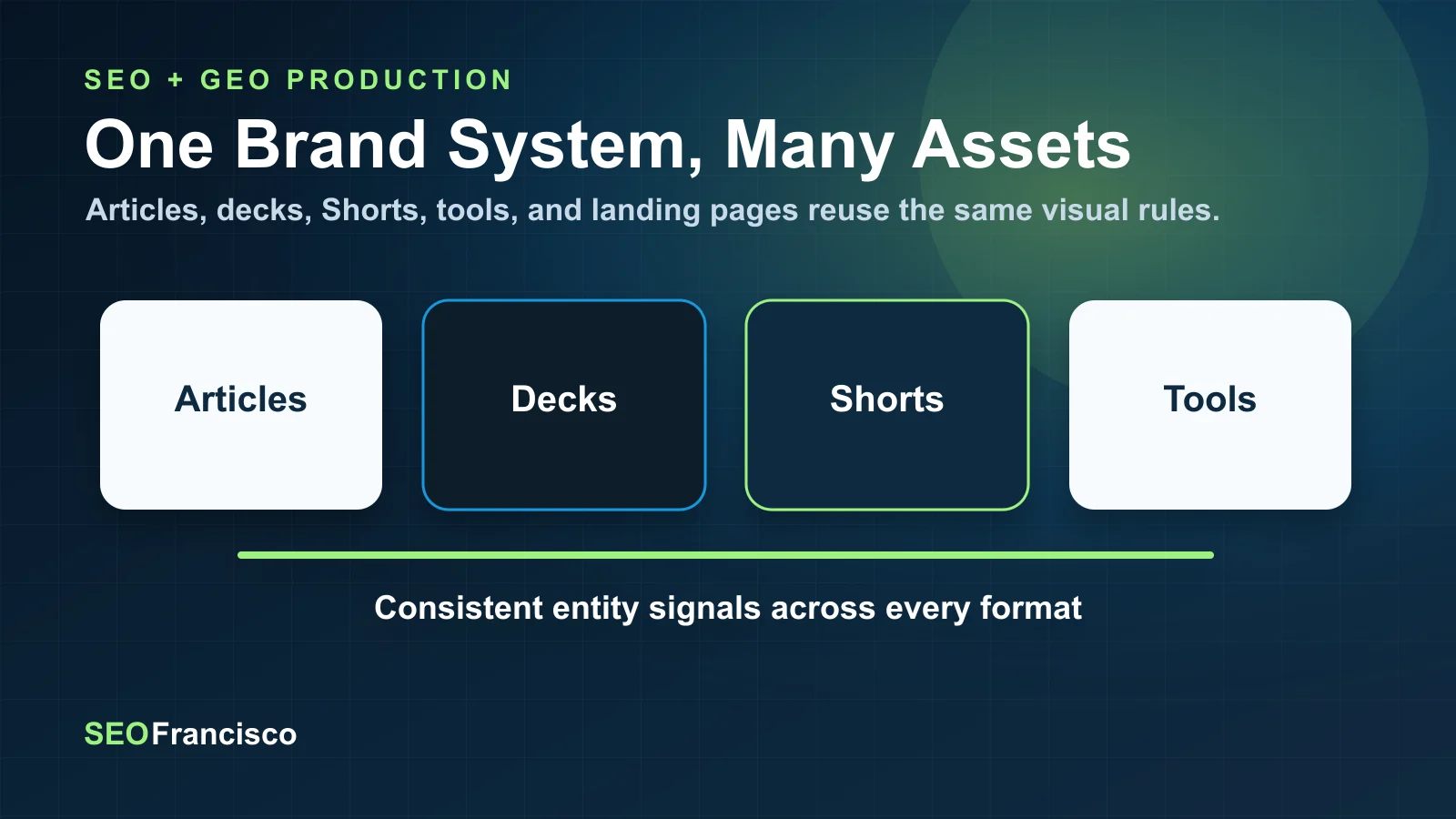
This connects with a larger trend we have covered in AI visibility and YouTube mentions: the web is becoming more multimodal, and AI systems are learning from distributed signals. If your brand is visually inconsistent across every AI-produced asset, you are weakening recognition. If your design language is codified and reused, you are building a stronger entity layer.
How I Would Adopt This in a Real Team
The mistake would be to install Open Design, throw prompts at it, and expect magic. The smarter path is to build a small operating system around it.
Step 1: Create a Real DESIGN.md for the Brand
Start with the brand that matters most. Do not make the file too abstract. Include exact tokens, yes, but also include the practical rules that usually live in someone’s head:
- What should the UI feel like?
- What should it never feel like?
- Which color is reserved for primary actions?
- How dense should dashboards be?
- How should cards, buttons, tables, and forms behave?
- What typography scale is acceptable on mobile?
- What accessibility constraints are non-negotiable?
For SEOFrancisco, for example, a useful DESIGN.md would include the dark technical palette, green/blue accent logic, restrained card radius, face-led editorial images, data-card patterns, video-summary treatment, and the rule that tool-like interfaces should be dense and operational rather than looking like generic SaaS landing pages.
Step 2: Pick Three Repeatable Skills
Do not start by trying every available skill. Pick the three workflows you will actually reuse. For an SEO and content operation, I would start with:
- Blog-post / editorial long-form for article visual systems and diagrams.
- Social-carousel for LinkedIn and X distribution assets.
- Motion-frames / HyperFrames for short video and article recap graphics.
For a SaaS product team, I would start with:
- Dashboard for product UI exploration.
- Docs-page for developer experience.
- Pricing-page for conversion testing.
Step 3: Use Codex Where Code Quality Matters
Open Design’s model-swapping idea is important because different agents have different strengths. If the artifact needs to become production code, Codex is a strong fit because it can work inside the repo, follow existing patterns, and run checks. If the task is pure visual exploration, another model may be useful. The point is not to crown one agent. The point is to keep the workflow agent-agnostic.
Step 4: Save the Output, Then Review It Like a Designer
Local-first does not mean automatic approval. It means you can inspect the files. Every artifact should be reviewed against the DESIGN.md, the skill checklist, accessibility, responsive behavior, and brand distinctiveness. The agent should generate the first serious pass. A human should still decide whether it deserves to ship.
What Is Still Early or Risky
There are reasons not to oversell this. DESIGN.md is currently an alpha-format specification. Google’s repository itself notes that the spec, token schema, and CLI are under active development. That means teams should treat it as a promising standard, not a frozen enterprise contract.
Open Design is also a developer-friendly workflow, not a polished mainstream product. The quickstart expects Node 24, pnpm 10.33.x, and comfort with local tooling. That is fine for technical teams, but it is not yet the same as handing a login to a non-technical brand manager.
The other risk is quality drift. Open workflows can still produce bad design if the design system is weak, the skill is vague, or the user accepts the first output. Open source does not automatically mean tasteful. It means you can inspect, improve, and enforce taste instead of hoping the hosted product does it for you.
A Practical Implementation Plan
If I were replacing Claude Design limits inside a small agency or technical marketing team, I would use this phased rollout:
| Phase | Goal | Output |
|---|---|---|
| Week 1 | Create the first brand DESIGN.md and test it with one agent. | A validated design file plus 3 sample artifacts. |
| Week 2 | Standardize two or three skills for repeated work. | Landing page, social carousel, and deck workflows. |
| Week 3 | Connect artifacts to production review. | Accessibility checks, responsive checks, export rules, naming conventions. |
| Week 4 | Create client or brand-specific libraries. | Reusable design-system folders and prompt examples. |
The goal is not to create another playground. The goal is to reduce creative rework, preserve brand memory, and make AI-generated design output easier to trust. For a team already producing SEO content, technical SEO audits, client decks, YouTube Shorts, and landing pages, this can become a shared production layer.
Final Verdict: This Is the Right Escape Hatch
Claude Design made the market pay attention because it showed what AI design feels like when the output is visible, not theoretical. But the next stage will not be won only by the best hosted interface. It will be won by the workflow that lets teams own their design memory, run their preferred agents, preserve artifacts, and move between tools without losing the system.
DESIGN.md gives that workflow a portable design-language file. Open Design gives it a local-first execution environment. Together, they are not just a workaround for usage limits. They are a better architecture for AI-assisted design production.
For individual creators, that means fewer blocked sessions. For agencies, it means reusable client systems. For product teams, it means design exploration that respects existing UI rules. For SEO and GEO teams, it means branded content infrastructure that can extend from articles to decks to videos to social assets.
The larger lesson is simple: if AI is going to participate in your design system, the design system cannot live only inside the AI product. It has to live in your project. DESIGN.md is an early but important move in that direction, and Open Design is the first workflow that makes the idea feel operational.
Sources
- Google Labs Code: DESIGN.md repository
- DESIGN.md format specification
- Nexu Open Design repository
- Open Design README
- Open Design quickstart
About the Author